
Disclosure: Buytoplab is reader-supported. If you buy through links on this page we may earn a small commission at no extra cost to you. We never accept payment for a ranking or a review, and we publish the downsides as plainly as the upsides. How we rank products.
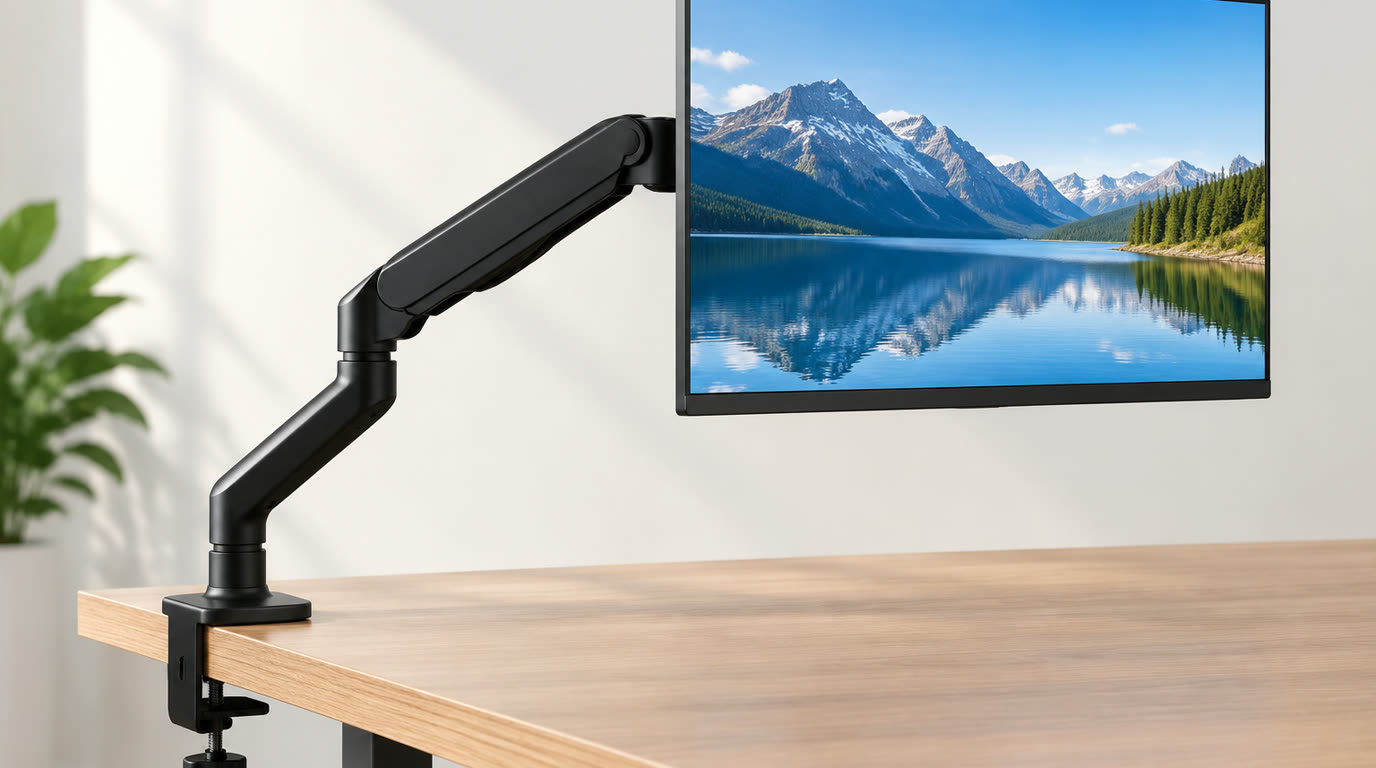
Spend this, not more: The honest spend band here is $34.99 to $133.99 across the eight picks. VIVO’s own store prices the PRO pneumatic arm for 57-inch ultrawide screens at $133.99, the standard 57-inch pneumatic arm at $119.99, the extra tall pneumatic arm at $99.99, the extra tall 57-inch mount at $89.99, the flexible mechanical arm at $79.99, the compact pneumatic arm at $59.99, and the two pole mounts at $44.99 and $34.99.
Quick answer:
- VIVO PRO Pneumatic Arm Single Ultrawide Monitor Desk Mount – Up to 57″ Screens: VIVO publishes this as its PRO arm for a single ultrawide screen up to 57 inches, which is both the largest supported size and the highest price on this page. The maker’s own title carries the pneumatic arm format, the single-screen layout and the 57-inch ceiling in one line.
- Pneumatic Arm Single Ultrawide Monitor Desk Mount – Up to 57″ Screens: VIVO publishes this pneumatic arm for a single ultrawide screen up to 57 inches. It matches the PRO arm on published screen size and sits $14 below it on the maker’s own store.
- Pneumatic Arm Single Ultrawide Monitor Extra Tall Desk Mount – Up to 49″ Screens: VIVO publishes this as an extra tall pneumatic desk mount for a single ultrawide screen up to 49 inches. The extra tall format is the maker’s own way of raising the mount on taller desks, where a standard arm sits lower.
- Single Ultrawide Monitor Extra Tall Desk Mount – Up to 57″ Screens: VIVO publishes an extra tall desk mount for a single ultrawide screen up to 57 inches. It is the only extra tall body here that pairs the raised format with the 57-inch ceiling, and it costs $10 less than the extra tall pneumatic arm.
- Flexible Mechanical Arm Single Ultrawide Monitor Desk Mount – Up to 35″ Screens: VIVO publishes this as a flexible mechanical arm for a single ultrawide screen up to 35 inches. The mechanical format is the maker’s own alternative to the pneumatic arms on this page and sits below the extra tall bodies on price.
How much should you spend? VIVO lists a price for each mount in its own catalog, and every figure here is the maker’s own figure for the model named. Four picks sit above $79.99 and the remaining four sit at or below it, so the band splits the page between the wide-screen arms and the pole formats.
First: Answer These 3 Questions
- Desk mount or pole mount? A desk mount bolts through a grommet or clamps to the desk edge and carries the arm above the surface. A pole mount clamps to the desk edge and carries a vertical post with the arm attached partway up, and VIVO publishes both formats on these pages.
- Pneumatic or mechanical arm? VIVO publishes three of the arms here as pneumatic and one as flexible mechanical. A pneumatic arm uses gas pressure for movement, while the mechanical body is named by the maker as a mechanical format, and the two sit at different points in the price band.
- Will an ultrawide monitor fit? Only if the published ceiling covers it. VIVO states up to 57″ on two of the arms, 49″ on one, 40″ on one, 35″ on the mechanical body, and a 23″ to 43″ range on both pole mounts, so a 49-inch ultrawide rules out the pole formats and the mechanical arm.
- What does extra tall change? VIVO publishes two bodies as extra tall desk mounts. The raised format is what the maker offers for taller desks where a standard arm sits low, and one of the two pairs that raised format with the 57-inch ceiling while the other stops at 49 inches.
- Why is one maker on this whole list? Because VIVO publishes a price, a supported screen size and a mount format for every arm ranked here. A comparison across more makers needs the same three published figures from each maker’s own store, and this page quotes only what it can reach and verify.
5 Checks Before You Buy
| Check | Target | Plain English |
|---|---|---|
| Mount format | Desk mount or VESA pole | VIVO states the format on the maker’s own page title for every arm ranked here |
| Supported screen size | A stated ceiling or a stated range | Two pole mounts publish 23″ to 43″; the desk mounts publish a single ceiling from 35″ to 57″ |
| Arm mechanism | Pneumatic or mechanical | Three arms are named pneumatic and one is named flexible mechanical by the maker |
| Height format | Standard or extra tall | VIVO names two of the desk mounts extra tall and leaves the rest as standard desk mounts |
| Screen layout | Single screen | Every body on this page is published as a single-monitor mount |
| Price | $34.99 to $133.99 on the maker’s store | Each figure is VIVO’s own published price for the model named |
8 Picks (By Mount Type)
VIVO PRO Pneumatic Arm Single Ultrawide Monitor Desk Mount – Up to 57″ Screens – The Ultrawide Pro Pick
Price: $133.99 on VIVO’s official store, in stock.
Why: VIVO publishes this as its PRO arm for a single ultrawide screen up to 57 inches, which is both the largest supported size and the highest price on this page. The maker’s own title carries the pneumatic arm format, the single-screen layout and the 57-inch ceiling in one line.
Honest take: The maker’s own page title states up to 57″ screens, and the store lists the model at $133.99. Downside: It costs $14 more than the standard 57-inch pneumatic arm from the same maker while the published ceiling is identical, so the PRO line is a feature tier rather than a larger range.
Pneumatic Arm Single Ultrawide Monitor Desk Mount – Up to 57″ Screens – The Ultrawide Pneumatic Pick
Price: $119.99 on VIVO’s official store, in stock.
Why: VIVO publishes this pneumatic arm for a single ultrawide screen up to 57 inches. It matches the PRO arm on published screen size and sits $14 below it on the maker’s own store.
Honest take: The maker’s own page title states up to 57″ screens, and the store lists the model at $119.99. Downside: The maker’s title states no weight limit, so the panel weight has to be checked on the spec page before a heavy ultrawide goes on it.
Pneumatic Arm Single Ultrawide Monitor Extra Tall Desk Mount – Up to 49″ Screens – The Extra Tall Pneumatic Pick
Price: $99.99 on VIVO’s official store, in stock.
Why: VIVO publishes this as an extra tall pneumatic desk mount for a single ultrawide screen up to 49 inches. The extra tall format is the maker’s own way of raising the mount on taller desks, where a standard arm sits lower.
Honest take: The maker’s own page title states extra tall and up to 49″ screens, and the store lists the model at $99.99. Downside: The published ceiling is 49 inches, below the 57-inch arms above it, so the widest ultrawide panels fall outside what the maker publishes for it.
Single Ultrawide Monitor Extra Tall Desk Mount – Up to 57″ Screens – The Extra Tall Wide Pick
Price: $89.99 on VIVO’s official store, in stock.
Why: VIVO publishes an extra tall desk mount for a single ultrawide screen up to 57 inches. It is the only extra tall body here that pairs the raised format with the 57-inch ceiling, and it costs $10 less than the extra tall pneumatic arm.
Honest take: The maker’s own page title states extra tall and up to 57″ screens, and the store lists the model at $89.99. Downside: The maker’s title carries no arm mechanism wording, unlike the pneumatic bodies above it, so the listing does not say how the height is held.
Flexible Mechanical Arm Single Ultrawide Monitor Desk Mount – Up to 35″ Screens – The Mechanical Pick
Price: $79.99 on VIVO’s official store, in stock.
Why: VIVO publishes this as a flexible mechanical arm for a single ultrawide screen up to 35 inches. The mechanical format is the maker’s own alternative to the pneumatic arms on this page and sits below the extra tall bodies on price.
Honest take: The maker’s own page title states flexible mechanical arm and up to 35″ screens, and the store lists the model at $79.99. Downside: The 35-inch ceiling is the lowest among the ultrawide bodies here, so a 49-inch or 57-inch panel is outside the range the maker publishes for it.
Pneumatic Arm Single Ultrawide Monitor Desk Mount – Up to 40″ Screens – The Compact Pneumatic Pick
Price: $59.99 on VIVO’s official store, in stock.
Why: VIVO publishes this pneumatic desk mount for a single ultrawide screen up to 40 inches. It is the lowest-priced pneumatic body ranked here and the mid-size step between the 35-inch mechanical arm and the 49-inch extra tall mount.
Honest take: The maker’s own page title states up to 40″ screens, and the store lists the model at $59.99. Downside: A 40-inch ceiling covers a 34-inch ultrawide panel with margin but not the 49-inch and 57-inch bodies ranked above it.
Long Arm VESA Monitor Pole Mount – 23″ to 43″ Screens – The Long Pole Pick
Price: $44.99 on VIVO’s official store, in stock.
Why: VIVO publishes this as a long arm VESA pole mount for screens from 23 to 43 inches. The pole format is the maker’s own alternative to the desk-mount arms above it, and the published range is a stated lower and upper size rather than a single ceiling.
Honest take: The maker’s own page title states 23″ to 43″ screens, and the store lists the model at $44.99. Downside: The published range stops at 43 inches, so it does not cover the 49-inch or 57-inch ultrawide bodies ranked above it.
VESA Monitor Arm Pole Mount – 23″ to 43″ Screens – The Budget Pole Pick
Price: $34.99 on VIVO’s official store, in stock.
Why: VIVO publishes this VESA pole mount for screens from 23 to 43 inches. It is the lowest price in this comparison and shares the maker’s stated 23-to-43-inch range with the long arm pole mount.
Honest take: The maker’s own page title states 23″ to 43″ screens, and the store lists the model at $34.99. Downside: It is the entry body on the maker’s page, and the same 43-inch ceiling excludes the ultrawide panels that the arms above are published for.
One-Line Decision Table
| Your situation | Pick this |
|---|---|
| A 57-inch ultrawide panel and a deep desk | The VIVO PRO Pneumatic Arm at $133.99 — the maker’s PRO body published for up to 57-inch single screens |
| A wide ultrawide panel on a smaller budget | The Pneumatic Arm Single Ultrawide at $119.99 — the same 57-inch published ceiling for $14 less |
| A tall desk where a standard arm sits too low | The Single Ultrawide Monitor Extra Tall Desk Mount at $89.99 — an extra tall body published to 57 inches |
| A 27-inch or 32-inch panel with no grommet to bolt into | The VESA Monitor Arm Pole Mount at $34.99 — a pole format published for 23″ to 43″ screens |
Running Costs: What You Pay After You Buy
The purchase price is only part of the story. Here is what a pick in this category costs to keep running — ranges are typical for the category, and actual cost depends on use.
| Item | What it is | How often | Typical cost |
|---|---|---|---|
| The monitor arm | The one-time price | Once | $34.99 to $133.99 across the eight picks, quoted on VIVO’s own store |
| Desk edge or grommet | Included with the mount | Once | Desk-mount bodies bolt through a grommet; pole bodies clamp to the desk edge, and VIVO prices no separate desk hardware on the pages used here |
| VESA hardware | Included with the arm | Once | VIVO publishes the VESA pattern on each page; the maker sells replacement arms and posts as separate catalog lines at their own prices |
| Assembly | Included with the mount | Once | These are desk-mount hardware bodies rather than furniture, so the maker’s price covers the arm, post or clamp and the fasteners that ship with it |
| No subscription | The absence of any plan | None | VIVO prices no subscription or service fee on the arms listed here |
Skip It If… (When Buying Nothing Is the Right Call)
This is the section most buying guides leave out. If any of these describe you, the honest advice is to keep your money.
- You want a mount for two monitors. Every body on this page is published as a single-monitor mount, and the maker’s dual-screen mounts are separate catalog products at their own prices.
- You want a wall mount. Every body on this page is published as a desk or pole mount, and fixed wall installation is a different product class on the maker’s store.
- You are choosing by weight capacity. VIVO states screen sizes on these page titles and does not publish a load figure in the descriptions used here, so this page ranks no arm by how much it holds.
- You want a monitor arm with a built-in charging hub or USB port. The arms ranked here are published as mounts, and the maker’s powered desk accessories are separate products.
- You expect this page to name which arm holds position best. The maker publishes screen size, mechanism and format on these pages but no stiffness or drift figure, so no durability ranking is claimed.
FAQ
What is the difference between a pole mount and a desk mount A desk mount attaches the arm directly to the desk surface or its edge. A pole mount clamps to the desk edge and adds a vertical post, so the arm height comes from where the arm sits on the post. VIVO publishes both formats on the pages linked here.
What does pneumatic mean on a monitor arm VIVO names three of the arms here pneumatic, which means movement is provided by gas pressure inside the arm rather than by a steel spring. The maker publishes the format name but no pressure or holding-force figure on the page titles used for this comparison.
Will these arms hold a 34-inch ultrawide A 34-inch panel is inside the published range of every body on this page except the two 23″ to 43″ pole mounts, where it sits at the middle of the maker’s stated range. Check the maker’s own VESA pattern list for the exact panel before ordering.
Is the extra tall format worth the extra money Two bodies here are published as extra tall desk mounts. The extra tall one at $99.99 stops at a 49-inch ceiling, while the extra tall one at $89.99 reaches 57 inches, so the cheaper body covers more screen size on the maker’s own figures.
Do these arms come with the clamp or post These are mount hardware bodies rather than desk furniture, so the maker’s price covers the arm together with the post or clamp it is published for. VIVO also sells replacement arms and posts as separate catalog lines.
Why does the page list one maker only Because VIVO publishes a price, a supported screen size and a mount format for every arm ranked here, which is what makes a ladder comparison possible at all. A cross-maker version would need the same three published figures from each maker, and this page quotes only what it can verify.
Can I use these with a monitor that weighs a lot VIVO states screen sizes on the page titles used here but publishes no load figure in those descriptions, so this page does not rank any arm by holding capacity. Check the maker’s own spec page for the panel weight figure before mounting a heavy display.
Sources & Data
Prices in this guide are the figures each maker publishes on its own pages, all checked and reachable on the publish date.
- VIVO PRO Pneumatic Arm Single Ultrawide — $133.99 quoted from VIVO’s own store.
- VIVO Pneumatic Arm Single Ultrawide — $119.99 quoted from VIVO’s own store.
- VIVO Pneumatic Arm Single Ultrawide Extra Tall — $99.99 quoted from VIVO’s own store.
- VIVO Single Ultrawide Monitor Extra Tall Desk Mount — $89.99 quoted from VIVO’s own store.
- VIVO Flexible Mechanical Arm Single Ultrawide — $79.99 quoted from VIVO’s own store.
- VIVO Pneumatic Arm Single Ultrawide 40 inch — $59.99 quoted from VIVO’s own store.
- VIVO Long Arm VESA Monitor Pole Mount — $44.99 quoted from VIVO’s own store.
- VIVO VESA Monitor Arm Pole Mount — $34.99 quoted from VIVO’s own store.
Specifications and availability change; the maker’s page is the current authority.
Real Pitfalls to Avoid
- Reading the highest price as the biggest range. The PRO arm and the standard arm are both published for up to 57 inches, and the $14 gap between them buys the PRO tier rather than more screen size.
- Buying a pole mount for an ultrawide. Both pole bodies on this page are published for 23″ to 43″ screens, so a 49-inch or 57-inch panel is outside the maker’s stated range.
- Treating extra tall as a size upgrade. The two extra tall bodies differ in ceiling, and the cheaper one reaches further than the pricier one on the maker’s own figures.
- Ignoring the mount format in the price. A pole body and a desk-mount body are different structures, so the two figures at the bottom of the band are not smaller versions of the arms above them.
- Ranking arms by holding strength. The maker publishes screen size and mechanism on these pages but no load or stiffness figure, so no durability ranking appears here.
- Assuming every body takes any panel. VESA patterns differ between screens, and the maker states a size range rather than a fit guarantee, so the panel’s own pattern has to be checked before ordering.
Going deeper: A monitor arm is one part of a desk, and the rest of the desk carries the same official-page method. The monitor guide ranks published panel specifications and official prices, the computer desk guide covers the surface and edge an arm clamps to, and the laptop stand guide handles the single-screen riser case. The ranking method behind every category is written up in how we rank products.
Update note: refreshed quarterly. Prices checked Sep 2026 – verify at checkout. Rankings based on published manufacturer specifications (supported screen size, arm mechanism, extra tall or standard format, VESA pole or desk mount), maker prices on official pages, not paid placement.