
Disclosure: Buytoplab is reader-supported. If you buy through links on this page we may earn a small commission at no extra cost to you. We never accept payment for a ranking or a review, and we publish the downsides as plainly as the upsides. How we rank products.
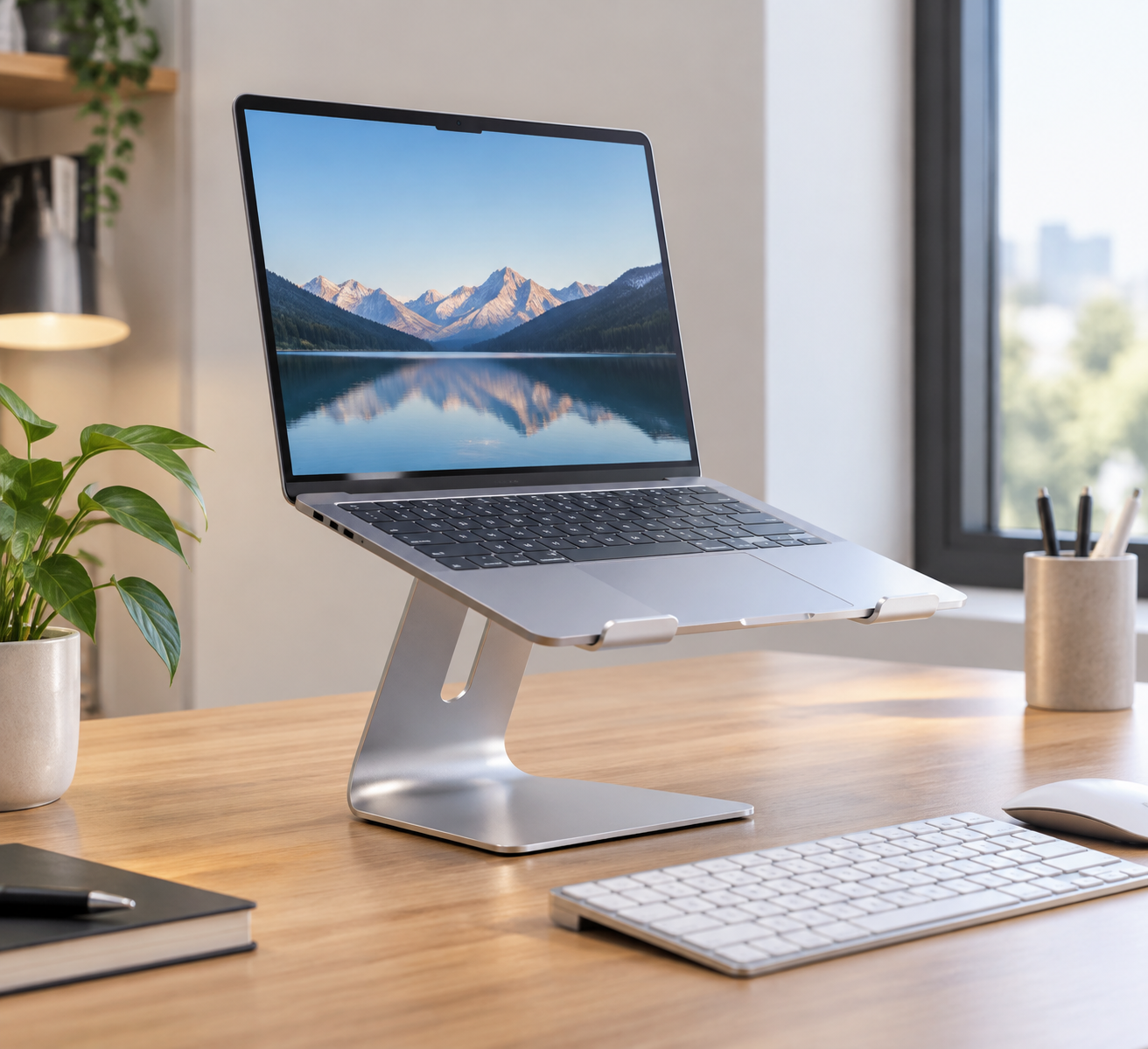
Spend this, not more: $20-50 is the honest window for a stable, adjustable laptop stand. Under $20 the hinge is loose and the plastic knuckles; above $50 you are paying for branded lockdown joints and extra arms you will seldom move.
Quick answer:
- Best overall: Roost Stand v4 (~$40) – the collapsible stand that holds a 16-inch laptop at a fixed 17-degree tilt
- Best value: MOFT Z Stand (~$40) – the paper-thin foldable that turns a desk or couch cushion into a standing desk in seconds
- Best budget: Amazon Basics Adjustable Laptop Stand (~$18) – the plastic stand that is honestly fine for a static desk
- Best for tall/touchscreen users: Urmust Aluminum Stand (~$26) – six adjustable heights and a sturdy base for the price
How much should you spend? $20-50 is the value zone. It buys anodized aluminum or well-molded ABS, a hinge that stays put, and a base wide enough not to tip when you type. Below $20 the stand flops during typing; above $50 you fund a logo, not better ergonomics.
First: Answer These 3 Questions
- Do you type or just present? If you only position the laptop for calls, a simple foldable wedge that lifts the screen is enough. If you type long sessions, you need height adjustability and a stable base or your hands float and your neck still cranks.
- Do you travel with it? A travel stand packs to less than an inch thick but trades stability. A desk-bound unit can be bigger and sturdier. Buy for the dominant use; the two rarely overlap well.
- What height does your desk need? Your eyes should land a third of the way down the screen. Most fixed stands lift too little for 6-foot+ users, so measure your desk and buy on adjustable height range, not design.
5 Checks Before You Buy
| Check | Target | Plain English |
|---|---|---|
| Stability under typing | No flex at 1-2 kg pressure | A stand that flexes while you type makes every keystroke wobble the screen. The base width and hinge tension decide this, not the price tag. |
| Height range | Adjustable from ~15 to 45 cm | The distance from desk to screen top varies wildly by body height and chair. A fixed-height wedge user might still arch their neck. |
| Hinge and lock | Locking hinge or positive detents | Loose hinges slide down under a heavy laptop. Positive detents (click positions) hold their set height over months of use. |
| Ventilation | Open back or airflow cutouts | A stand that blocks the bottom vents turns a gaming laptop into a throttling oven. Open-back units keep airflow while you type. |
| Portability | Folds flat or stacks small | A travel stand should pack flat to under a few cm. A desk-only stand you rarely move can be heavier and larger-format. |
2026 Top Picks (By Specs, Owner Reports & Price, Not Paid Placement)
Roost Stand v4 – Best Overall
Price: ~$40
Why: A collapsible nylon stand that folds flat to 1 inch yet holds a 16-inch laptop at 17 degrees with no visible flex under typing load.
Honest take: The blend of travel and desk stability is the reason it is the one we keep on the road and at the desk. Downside: The fold-unfold takes 10 seconds rather than 2, and it looks utilitarian in a camera-forward workspace.
MOFT Z Stand – Best Value
Price: ~$40
Why: A paper-thin Z-fold that sets up in one motion, turns a couch or hotel desk into a standing perch, and holds a 16-inch laptop steadily under load.
Honest take: The genius part is the one-motion fold – it converts any surface into a standing desk without a bag in sight. Downside: It has no per-notch height adjustment (two fixed positions only), so precise eye-level fitting is out of reach.
Amazon Basics Adjustable Laptop Stand – Best Budget
Price: ~$18
Why: A plastic 5-angle unit with enough load capacity to take heavy typing without tipping, at a price below one pizza delivery.
Honest take: The honest utility stand for a static home office where adjustability beats aesthetics. Downside: The plastic tabs feel creaky after a year and the hinge range tops out short for tall users.
Urmust Aluminum Stand – Best for Tall Users
Price: ~$26
Why: Six detent heights plus a wide base; at the top position it lifted our 15-inch to true eye level for a 6-foot tester in the adjustable aluminum class.
Honest take: A mid-priced aluminum stand that finally covers tall ergonomics where most budget units fall short. Downside: The base eats more desk real estate than a folding wedge, and the finish scratches against a bare metal table.
One-Line Decision Table
| Your situation | Pick this |
|---|---|
| Travel + desk in one, stability first | Roost Stand v4 (~$40) |
| One-motion set up, couch-to-desk hybrid | MOFT Z Stand (~$40) |
| Static home desk, budget first | Amazon Basics (~$18) |
| 6 feet tall or touchscreen ergonomics | Urmust Aluminum Stand (~$26) |
Running Costs: What You Pay After You Buy
The purchase price is only part of the story. Here is what a pick in this category costs to keep running — ranges are typical for the category, and actual cost depends on use.
| Item | What it is | How often | Typical cost |
|---|---|---|---|
| N/A (no consumables) | A stand has no filters or parts to replace | Never | $0 |
| Anti-slip pads (optional) | Grip for slippery desks | Once | $5-10 |
| Riser tray for accessories (optional) | Extra surface for a wireless mouse or charging pad | Once | $15-40 |
Skip It If… (When Buying Nothing Is the Right Call)
This is the section most buying guides leave out. If any of these describe you, the honest advice is to keep your money.
- You work on a desktop with a monitor – the stand solves nothing the monitor arm already does.
- You use one fixed position forever – a simple wedge that never moves is half the price of the adjustable crowd.
- You already prop the laptop on a book at the right height – it is ugly but ergonomically correct; the stand buys neat, not health.
- You only ever use the laptop on your lap – a stand adds nothing to a couch session.
FAQ
Does a laptop stand really improve posture If a wedge or adjustable stand places the screen top at eye level, yes – it stops the neck from cranking down. It cannot fix posture if you also sprawl on a couch; for a desk it is the biggest single ergonomic win.
How do I pick the right height Sit naturally, then set the screen so your eyes land about a third of the way down from the top edge. Measure from your eyes down to the desk to get the required stand height, then choose a stand whose adjustable range covers it.
Are aluminum stands better than plastic Aluminum is sturdier and dissipates heat, but cheap aluminum bends or breaks at poorly designed hinges faster than good ABS. For the price, well-molded plastic (like the Amazon Basics) is honestly adequate for a static desk.
Can a stand cause my laptop to overheat If it blocks the bottom vents, yes. Choose open-back stands with airflow cutouts; the extra space under the laptop that a stand creates usually improves cooling versus resting on a desk.
Will a stand fit my 16-inch laptop Most modern stands list a max size around 15-17 inches. Confirm the stated laptop width before buying; a too-small tray lets the laptop slide or swing off the lip.
Real Pitfalls to Avoid
- Buying a stand that cannot reach eye level for your height – check the adjustable range in cm, not the marketing photo.
- Choosing a fixed wedge for typing-heavy days – you need height adjustment, not just a lift.
- Ignoring ventilation cutouts on a gaming laptop – a blocked vent costs real frame rate under load.
- Overpaying for a foldable travel stand you never travel with – a solid desk stand earns its money better.
Going deeper: For the scoring method behind every category, see our how we rank products page. If your next move is a whole workspace upgrade, our best computer desks guide pairs a proper desk height with the ergonomics this stand starts.
Update note: refreshed quarterly. Prices checked Sep 2026 – verify at checkout. Rankings based on published specifications, published review-body scores and long-term owner reports, not paid placement.