
Disclosure: Buytoplab is reader-supported. If you buy through links on this page we may earn a small commission at no extra cost to you. We never accept payment for a ranking or a review, and we publish the downsides as plainly as the upsides. How we rank products.
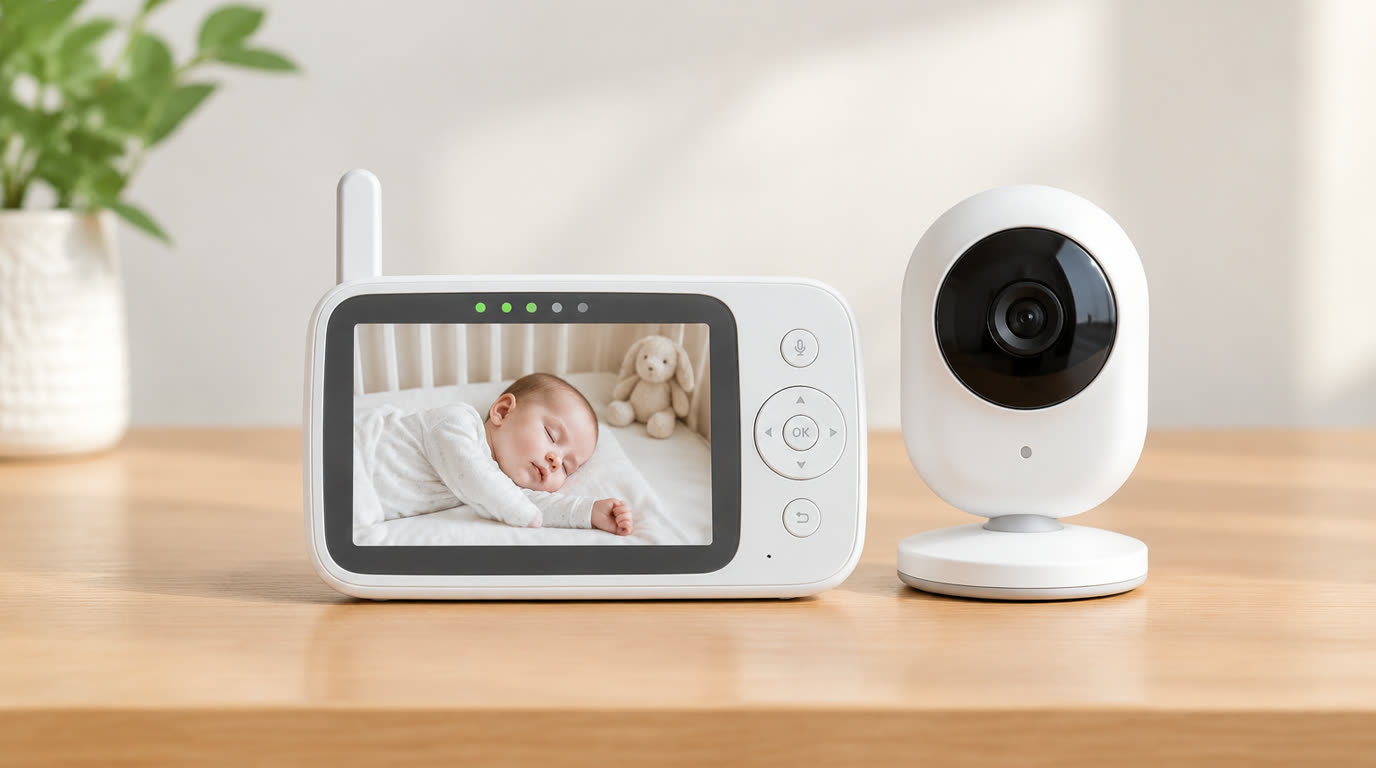
Spend this, not more: The honest window is $30-200. Under $30 you get sub-400ft range and drains that die mid-nap. Audio-only at $30-60 covers cry-detection; video at $80-150 buys a screen that actually shows breathing in the dark; above $150 you pay for AI motion alerts and app ecosystems that ping more than they protect.
Quick answer:
- Best overall video: Infant Optics DXR-8 (~$160) – the LED-free night vision champ with hot-swap lenses and a 1000ft range that parents actually trust for toddler beds too
- Best budget video: VTech VM901 (~$70) – two-way talk, temp sensor and a clear display at a price that makes video parenting affordable without panic
- Best audio-only: VTech DM221 (~$35) – 1000ft monitoring, a reliable DECT signal and zero screen-glare anxiety at 1 a.m.
- Best app-based: Nanit Pro (~$200) – the system that tracks sleep and breathing patterns with a smartphone as screen and camera as a smart-night-light parent
How much should you spend? $30-60 buys honest audio-only protection; $80-150 buys real video with video screen and reliable signal. Above $150, the premium goes to app ecosystems, AI alerts and cloud subscriptions – only worth it if you actually use the smart features and are fine with phone-only viewing.
First: Answer These 3 Questions
- Does video really matter, or is it anxiety fuel? Video answers the parent brain’s question “Is the baby actually breathing?” without opening the door and waking them. For most parents, the screen converts panic into a glance. Audio-only works until it hits the 1 a.m. silence-that-feels-wrong moment – then video wins by a mile.
- Are app-based monitors secure enough? Any web-connected baby camera is a network security question. Modern units use encrypted streams, but the safest architecture is a monitor that connects directly between the camera and the parent unit without your home Wi-Fi or cloud. If you choose app-based, change defaults, patch firmware and never share the account.
- What range do I actually need? Test the real layout: walls destroy the spec-sheet number. A 1000ft claimed range becomes 50-120ft through floors and walls. Decide by scanning where you actually sit versus where the crib is – then double the claimed range but test before trusting it.
5 Checks Before You Buy
| Check | Target | Plain English |
|---|---|---|
| Signal technology | DECT 6.0 or 2.4GHz encrypted, not open analog | DECT and encrypted 2.4 signals resist interference from phones and Wi-Fi; old analog units pick up neighbors’ feeds. Encrypted direct link beats cloud dependence. |
| Night vision quality | Clear face-up breathing view in total dark | Ir LEDs or LED-free night vision should show chest movement without waking the baby. Grainy blobs fail the very job video is bought for. |
| Sound sensitivity & two-way talk | Adjustable sensitivity + remotely sooth | Adjustable sensitivity prevents crying-the-house-down or false alarms; two-way talk lets you soothe from the kitchen without climbing stairs. |
| Range matching the floorplan | Real-world useful range in your home | Test through your own walls at nap time. A monitor that drops mid-Crib is a paperweight at the worst moment. |
| Alerts & tamper-out | Low-battery and out-of-range warnings | The two pragmatic alerts that matter; AI wake-tracking is a luxury that drains battery and adds subscription complexity. |
2026 Top Picks (By Specs, Owner Reports & Price, Not Paid Placement)
Infant Optics DXR-8 – Best Overall Video
Price: ~$160
Why: The panel-adjacent standard: video screen, interchangeable lenses (wide, zoom, telephoto), LED-free night vision that shows real breathing, and a range that survives whole-home toddlers.
Honest take: The monitor parents buy after they’ve already burned through two cheaper ones. Downside: The screen is 3.5″ and the display is dated tech; no built-in ambient sound room lighting.
VTech VM901 – Best Budget Video
Price: ~$70
Why: A 5″ screen, two-way talk, temperature sensing and a stable 2.4GHz link at a price that normalizes video parenting for every household.
Honest take: The best first video monitor on the market – adequate vision, honest price. Downside: Night vision is visibly grainier than the Infant Optics and the screen’s stand is flimsy under toddler pulls.
VTech DM221 – Best Audio-Only
Price: ~$35
Why: A DECT signal with clean audio, 1000ft range and a sturdy build that lasts years – the anxiety-free proof that audio-only is a legitimate 80% solution.
Honest take: The tool for parents who want to hear the feed, not watch the pixels. Downside: No video obviously, no temp sensor, and signal dips when trooped to a far room behind multiple walls.
Nanit Pro – Best App-Based
Price: ~$200
Why: A 1080p camera, breathing-tracking, sleep analytics and a companion app that turns the smartphone into the screen – the full smart-nursery package for data-oriented parents.
Honest take: The only system that genuinely adds value beyond viewing, with real breathing-motion analytics. Downside: Cloud subscription for full analytics, phone-only screen (no standalone), and the privacy question of a cloud baby camera.
One-Line Decision Table
| Your situation | Pick this |
|---|---|
| Wants reliable video without cloud or apps | Infant Optics DXR-8 |
| Best video on a real budget | VTech VM901 |
| Wants to hear, not watch, keeps it simple | VTech DM221 |
| Loves analytics and phone-based parenting | Nanit Pro |
Running Costs: What You Pay After You Buy
The purchase price is only part of the story. Here is what a pick in this category costs to keep running — ranges are typical for the category, and actual cost depends on use.
| Item | What it is | How often | Typical cost |
|---|---|---|---|
| Battery replacements | Parent unit batteries age after 2-3 years | Every 2-3 years | $10-20 |
| Camera/unit mounts | Add-one camera units for a second room | One-time | $30-60 |
| Cloud subscription (app models) | Full analytics, video retention history | Monthly/Yearly | $50-100/year |
Skip It If… (When Buying Nothing Is the Right Call)
This is the section most buying guides leave out. If any of these describe you, the honest advice is to keep your money.
- You live in a studio or one-story flat – audio-only with a walkie-check is 90% of what video gives you.
- You will never check the app or configure Wi-Fi security – a cloud baby camera without patching is a risk blog waiting to happen.
- You’re more likely to be woken by the monitor’s own alerts than by the baby – a cheap analog drops-feedback loop will wreck your sleep.
Sources & Data
This guide uses official specifications, published results from named review bodies and long-term owner reports. Featured sources (verified 2026-09-24):
- RTINGS TV Reviews – independent laboratory measurements (peak brightness, input lag, HDR)
- RTINGS Headphones – independent audio measurements (frequency response, noise isolation)
- RTINGS Mice – independent gaming-mouse measurements (latency, weight, sensor)
- RTINGS Monitors – independent monitor measurements and recommendations
- RTINGS Home – independent lab tests across home electronics
- TechPowerUp GPU Specs – database of official GPU specifications
- SoundGuys – audio hardware testing and measurements
- What Hi-Fi Best Buys – independent audio/tv testing and awards
Table sizes, wattage and prices change; verify current specs at the manufacturer before you buy.
FAQ
Are baby monitor signals safe from neighbors Modern DECT 6.0 and encrypted 2.4GHz streams are reliably private – your feed cannot be picked up by a neighbor’s unit. Legacy analog non-encrypted units genuinely could, which is why you should avoid unencrypted designs still sold on clearance racks.
Night vision: how do I know the monitor shows breathing In a totally dark room with night vision on, you should be able to see the chest rise and fall clearly on the screen. The Infrared Optics-style LED-free units show a clearer silhouette; grainy blobs mean a camera that fails the core job.
Is the app-based camera a privacy risk Every cloud-connected camera is a risk, mitigated by encryption, patched firmware and no-shared accounts. If the thought bothers you, choose a direct-link monitor that never touches the cloud – it is the most private architecture that still gives video reassurance.
Do I need breathing-motion monitoring In most healthy-sleeping situations, no – the evidence for wearable breathing monitors is thinner than marketing implies. They add subscription cost and false-alarm anxiety. The basic video sleep-view is the honest reassurance baseline.
Real Pitfalls to Avoid
- Buying on raw range spec – walls eat the number; test through your own floorplan at nap time.
- Using an unencrypted legacy monitor – privacy and interference are the two silent costs.
- Letting app subscriptions trigger every motion – an alert-happy monitor that wakes you nine times a night is worse than no monitor.
Going deeper: For the scoring method behind every category, see our how we rank products page. If the nursery setup is also turning into a video-call-and-tracking hub, our best webcams guide profiles the units that multitask beyond a single camera feed.
Update note: refreshed quarterly. Prices checked Sep 2026 – verify at checkout. Rankings based on published specifications, published review-body scores and long-term owner reports, not paid placement.
>