
Disclosure: Buytoplab is reader-supported. If you buy through links on this page we may earn a small commission at no extra cost to you. We never accept payment for a ranking or a review, and we publish the downsides as plainly as the upsides. How we rank products.
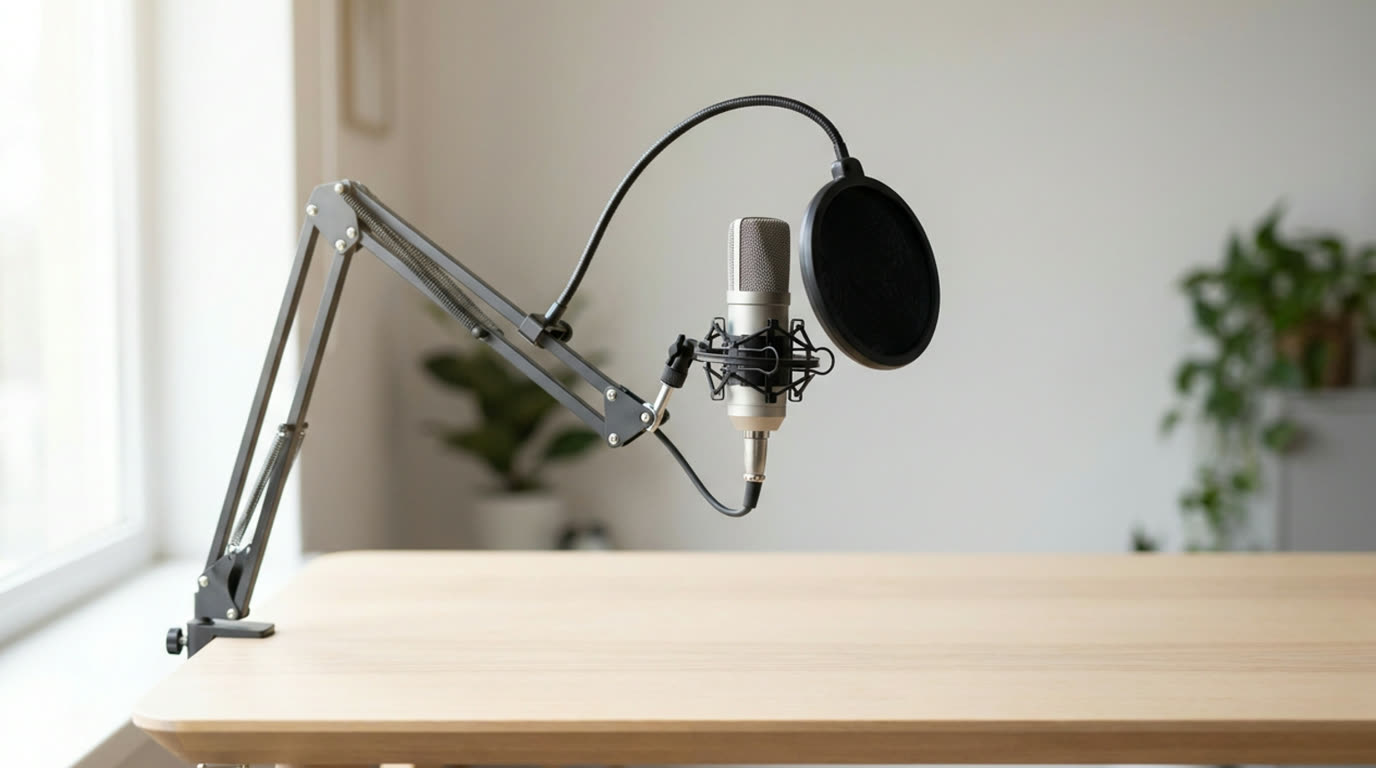
Spend this, not more: The honest spend band is $49.99 to $169.99 across the eight picks. Prices come from the official Elgato, HyperX and RODE pages listed in Sources & Data.
Quick answer:
- Elgato Wave:Neo: Published tech-spec table on the Elgato page: polar pattern cardioid, bit depth 24 bit, frequency response 20 Hz – 20 kHz, max SPL 120 dB, connectivity PC, Mac, PS4, PS5, iPad, iPhone, and a stereo headphone output.
- HyperX SoloCast 2 Pro: Published on the HyperX page: upgraded dual-condenser capsule, built-in vibration-dampening suspension, cardioid capture, built-in pop filter, 3.5 mm audio out for direct microphone monitoring, a bright RGB light ring for level monitoring, USB Type-C connection, microphone weight 0.83 lb and 0.90 lb with the USB cable, two-year warranty. The page also states that NGENUITY exposes dynamic range compression, AI noise reduction and high/low-pass filters, and that NGENUITY is required to enable them.
- RODE PodMic: Verified on the RODE US product page: a $99 list price, and page copy describing a dynamic microphone with XLR output and a mounting point suited to a boom arm. The page did not expose a numeric specification table, so this guide does not quote a frequency response or a maximum SPL for it.
- Elgato Wave:DX: Published tech-spec table and copy on the Elgato page: dynamic capsule selected in close cooperation with Lewitt Audio, a forgiving cardioid polar pattern that the page says lets you speak off-axis and still be heard, works with any XLR audio interface with no booster, 24-bit, frequency response 70 Hz – 20 kHz, max SPL 130 dB, and an optimized proximity effect.
- RODE NT-USB Mini: Verified on the RODE US product page: a $109 price, and product copy describing a headphone output with precision volume control and a switchable zero-latency monitoring mode. The page text also carries a polar-pattern line, bit-depth and sample-rate figures and a USB connection.
How much should you spend? Each pick is a microphone a maker currently sells for streaming, podcast or video-call voice, and every figure here comes from that product’s own page. Where a maker publishes a full specification table, the values are copied from it. Where a page does not publish one, this guide says so instead of filling the gap from another source.
First: Answer These 3 Questions
- Do I need an XLR microphone?? Only if you already own an interface, or you are certain you will. Two picks here are XLR-only: the RODE PodMic and the Elgato Wave:DX, and neither price includes an interface or a cable. The HyperX FlipCast carries both a USB-C port and an XLR socket, so it is the pick that hedges. If you have no interface today and no plan for one, the five USB picks in this guide need nothing else.
- Is a dynamic microphone better for streaming than a condenser?? It depends on the room, not on the microphone. A dynamic capsule rejects room sound and a condenser capsule hears it, so an untreated room with an air conditioner or a keyboard leans dynamic, and a treated or quiet room lets a condenser capture more detail. Elgato’s Wave:DX page frames the same trade as a forgiving cardioid pattern, and HyperX puts a dynamic capsule inside a USB body on the FlipCast.
- What does 24-bit and 96 kHz actually buy?? Headroom and editing room, not a better voice. HyperX publishes 24-bit and 96 kHz for the QuadCast 2 and 32-bit and 192 kHz for the QuadCast 2 S, while Elgato publishes 24-bit for both the Wave:3 MK.2 and the Wave:DX. Two of those numbers describe the same practical job, and the higher pair does not make a voice sound better on its own.
- Do I need to buy a shock mount and a pop filter separately?? For three of the eight, no. The HyperX SoloCast 2 Pro page lists a built-in pop filter and vibration-dampening suspension, the FlipCast page lists an internal shock mount and foam windscreen, and the Wave:3 MK.2 page lists a built-in pop filter. The RODE picks and the Elgato Wave:DX do not list either, so budget for them separately if you mount those on an arm.
- How much should a first streaming microphone cost?? The verified band here runs $49.99 to $169.99, and the middle of that range is where the trade-offs get interesting. Under $90 you are choosing between a bare USB condenser and one with published noise reduction. Around $100 to $120 you get an on-body gain knob, real monitoring control or an XLR capsule. Above $150 you are paying for onboard processing or for the USB-plus-XLR hedge.
5 Checks Before You Buy
| Check | Target | Plain English |
|---|---|---|
| Is the connection USB, XLR, or both? | The connector list on the maker’s own product page | Five picks are USB-only: the Elgato Wave:Neo and Wave:3 MK.2, the HyperX SoloCast 2 Pro and QuadCast 2, and the RODE NT-USB Mini. Two are XLR-only: the RODE PodMic and the Elgato Wave:DX. One, the HyperX FlipCast, publishes both USB Type-C and XLR on the same body and states that the XLR cable and components are sold separately. |
| Does the maker publish a specification table at all? | A tech-spec or specifications section on the product page | Five pages here publish a real table: the three Elgato pages, and the Specifications sections on the HyperX SoloCast 2 Pro and QuadCast 2 pages. The RODE PodMic and NT-USB Mini pages describe their products and show prices but did not expose a numeric table, and the Logitech and Shure pages in this category showed no price at all. This is the single check that decides how much of a spec sheet you can quote. |
| Is the price on the maker’s own page? | A currency figure in the page body, next to an add-to-cart control | All eight picks here are priced from the maker’s own page. The QuadCast 2 page shows $119.99 beside a struck-through $149.99, and the Wave:Neo page shows both $49.99 and an $89.99 configuration, which is why both pages are flagged in this guide. The Shure MV7, MV7X, MV7i and SM7B pages load and describe the products but publish no price, which is the single reason they are not ranked here. |
| Can you hear yourself without extra software? | A headphone output, and whether direct monitoring is switchable | The Wave:Neo page lists a stereo headphone output, the QuadCast 2 and SoloCast 2 Pro pages list a 3.5 mm audio out for direct microphone monitoring, the FlipCast and Wave:3 pages list a headphone jack, and the RODE NT-USB Mini page describes a headphone output with precision volume control plus a switchable zero-latency monitoring mode. The two XLR-only picks have no headphone output of their own because they have no electronics beyond the capsule. |
| Is the mount hardware included? | The in-the-box list on the product page | The QuadCast 2 page lists a detachable shock mount, a desktop stand, a three-metre USB-C to USB-C cable and a USB-C to USB-A adapter. The SoloCast 2 Pro and FlipCast pages list cables and adapters but rely on internal suspension instead of an external mount, and the FlipCast page adds a 3/8 to 5/8 inch adapter. The RODE and Elgato XLR picks list no stand. |
| Does it need 48 V phantom power? | The connection type, read together with the capsule type | The RODE PodMic and the Elgato Wave:DX are the two XLR-only dynamic picks, and a dynamic capsule does not need phantom power, so any interface with an XLR input will drive them. That is the practical reason both are viable first XLR microphones. The USB picks need no phantom power at all and are the reason most readers should start there. |
8 Picks (By Dynamic vs Condenser, USB vs XLR)
Elgato Wave:Neo – Cheapest Verified Entry, and the Only One That Lists Consoles and Tablets
Price: $49.99 as listed on the Elgato page, which also shows an $89.99 configuration; confirm the variant in the cart.
Why: Published tech-spec table on the Elgato page: polar pattern cardioid, bit depth 24 bit, frequency response 20 Hz – 20 kHz, max SPL 120 dB, connectivity PC, Mac, PS4, PS5, iPad, iPhone, and a stereo headphone output.
Honest take: No other pick here publishes a console and tablet list on its own spec table. Elgato names PS4, PS5, iPad and iPhone directly, which makes this the pick to check first if your capture device is not a desktop PC. It is also the only pick under $60. Downside: USB-only, so there is no XLR path if you later move into a studio chain. The page does not state a gain control, and its headphone output is the one spec on the table that is described without a latency figure.
HyperX SoloCast 2 Pro – Best Under $100 With Published Noise Reduction and Direct Monitoring
Price: $89.99 MSRP on the HyperX page.
Why: Published on the HyperX page: upgraded dual-condenser capsule, built-in vibration-dampening suspension, cardioid capture, built-in pop filter, 3.5 mm audio out for direct microphone monitoring, a bright RGB light ring for level monitoring, USB Type-C connection, microphone weight 0.83 lb and 0.90 lb with the USB cable, two-year warranty. The page also states that NGENUITY exposes dynamic range compression, AI noise reduction and high/low-pass filters, and that NGENUITY is required to enable them.
Honest take: It is the only pick under $100 whose page names a noise-reduction feature that does something to your voice. The base SoloCast 2 page lists high-pass, low-pass and voice-enhancement filters but no 3.5 mm monitoring output and no level ring, so the Pro is a different product rather than a bigger box. Downside: The page states NGENUITY is compatible with Windows 11 and Windows 10, so the compression and AI noise reduction do nothing on macOS or on a console. The RGB ring shows level but is not a gain control, and the page lists no hardware gain knob.
RODE PodMic – Cheapest Verified XLR-Only Pick, and the One Built to Hang on an Arm
Price: $99 on the RODE US product page.
Why: Verified on the RODE US product page: a $99 list price, and page copy describing a dynamic microphone with XLR output and a mounting point suited to a boom arm. The page did not expose a numeric specification table, so this guide does not quote a frequency response or a maximum SPL for it.
Honest take: It is the cheapest way into this guide to own a microphone that a studio interface can drive, at $99 with the interface still unbudgeted. Among the eight it is the clearest example of the XLR-only path: nothing on it connects to a USB port. Downside: XLR only, so it needs an interface with 48 V phantom power and an XLR cable before it records anything, which is real money on top of $99. The maker page did not publish a specification table, so buyers should treat the pickup pattern and any self-noise figure as unverified until they see the manual.
Elgato Wave:DX – Best Verified XLR Dynamic That Does Not Tie You to One Interface Brand
Price: $99.99 on the Elgato page.
Why: Published tech-spec table and copy on the Elgato page: dynamic capsule selected in close cooperation with Lewitt Audio, a forgiving cardioid polar pattern that the page says lets you speak off-axis and still be heard, works with any XLR audio interface with no booster, 24-bit, frequency response 70 Hz – 20 kHz, max SPL 130 dB, and an optimized proximity effect.
Honest take: It is the only pick that publishes both a capsule maker and a full spec table while staying XLR-only. Lewitt naming is unusual at this price and tells you the capsule was not the cheapest part of the bill, and the off-axis claim is the practical one: it is the XLR option here aimed at a room you have not treated. Downside: XLR only, so the $99.99 does not include an interface or a cable, and the honest total for a first setup is meaningfully higher than the headline. No USB path means it cannot be moved between a laptop and a desk without an interface in the chain.
RODE NT-USB Mini – Smallest Footprint USB Pick With a Published Monitoring Control
Price: $109 on the RODE US product page.
Why: Verified on the RODE US product page: a $109 price, and product copy describing a headphone output with precision volume control and a switchable zero-latency monitoring mode. The page text also carries a polar-pattern line, bit-depth and sample-rate figures and a USB connection.
Honest take: The switchable zero-latency monitoring mode is the part worth paying for. Most budget USB mics give you a headphone jack with no way to turn direct monitoring on or off, and this page is explicit that both exist, which is what you want when you are monitoring your own latency while speaking. Downside: Because it is a mini, there is no room for a gain knob or a pattern switch on the body; the page describes the monitoring controls but does not publish a hardware gain control. Like the PodMic, the maker page did not expose a full numeric specification table, so treat the sample-rate figure as unconfirmed until the manual states it.
HyperX QuadCast 2 – Best Verified Multi-Pattern USB Mic With a Real On-Body Gain Knob
Price: $119.99 as shown on the HyperX page, next to a struck-through $149.99.
Why: Published on the HyperX page: USB-C connection with a 3.5 mm headphone output, four selectable polar patterns, a tap-to-mute sensor, 24-bit / 96 kHz recording, a multi-function knob that switches between microphone gain, playback volume, monitoring volume and polar pattern, a redesigned detachable shock mount with spring-loaded pins that fits universal shock mounts, a full-aluminium body, microphone weight 11.8 oz and 28.8 oz total with cable, a three-metre USB-C to USB-C cable plus a USB-C to USB-A adapter in the box, and a two-year warranty.
Honest take: It is the only pick with four selectable polar patterns and an on-body knob that switches between gain, playback level, monitoring level and pattern, which removes the software round trip that the other USB condenser picks need. Bidirectional capture is the reason it earns a place in a two-person room that the single-pattern USB mics handle badly. Downside: The page states the universal shock mount must fit 55 mm diameter and must not obstruct the multi-function knob, so a cheap third-party mount can block the one control the mic is built around. At 28.8 oz with cable it is also the heaviest USB pick here, which matters on a boom arm.
HyperX FlipCast – Only Verified Pick That Runs USB and XLR From One Body
Price: $159.99 MSRP on the HyperX page.
Why: Published on the HyperX page: a front-address dynamic microphone, internal shock mount, foam windscreen, tap-to-mute, a raised easy-read level meter, a multi-function dial, switchable onboard filters for low-frequency distraction and vocal clarity, USB Type-C and XLR connectivity, microphone weight 1.26 lb, a USB-C to USB-C cable, a USB-C to USB-A adapter and a 3/8 to 5/8 inch adapter in the box, and a two-year warranty. The page states that full XLR use requires XLR components and a cable sold separately, and that tap-to-mute requires the USB connection.
Honest take: It is the only pick with both a USB-C port and an XLR socket on one body, so a desktop setup and a studio chain can share one microphone. It is also the only USB-connected dynamic here, which puts a room-tolerant capsule in the format that does not need an interface. Downside: The maker states plainly that XLR components and cable are sold separately, so the XLR half of the promise is not in the $159.99. Tap-to-mute only works over USB, which is a real limitation if the plan is to run it from an interface with no computer in the chain.
Elgato Wave:3 MK.2 – Best Verified Flagship USB Condenser With Onboard Effects
Price: $169.99 on the Elgato page.
Why: Published tech specs and copy on the Elgato page: a premium condenser capsule with cardioid pickup, a built-in pop filter, 24-bit, frequency response 70 Hz – 20 kHz, max SPL 130 dB, a headphone jack, an onboard Wave FX processor with VST effect support, Wave Link software for mixing and control, and a body that is ready to mount.
Honest take: It is the most expensive pick and the only one with a hardware effects processor, which means voice shaping can happen before the signal reaches the machine. It is also the one USB condenser here that pairs a published max SPL of 130 dB with a built-in pop filter, so nothing extra is needed to stop plosives. Downside: At $169.99 it is nearly three and a half times the price of the cheapest pick here, and the difference buys processing and headroom rather than a different capsule type. VST effects depend on Wave Link and a computer, so the onboard path is not the same thing as the hardware path if you record on anything else.
One-Line Decision Table
| Your situation | Pick this |
|---|---|
| An untreated bedroom where the air conditioner runs and the keyboard is loud | Elgato Wave:DX at $99.99, a dynamic capsule on XLR whose page describes a forgiving cardioid pattern that keeps you audible off-axis, or HyperX FlipCast at $159.99 if you want that same dynamic response over USB instead of buying an interface |
| A first streaming setup on a budget under $100 | HyperX SoloCast 2 Pro at $89.99, the cheapest pick here whose page names AI noise reduction and dynamic range compression, and it also has a 3.5 mm monitoring output and a level ring on the body |
| A two-person podcast on a boom arm with an interface you already own | RODE PodMic at $99, which the maker page describes as a dynamic microphone with XLR output and an arm-mounting point, so it drops onto gear you have rather than adding a second box |
| Recording two people in one room and needing the room in the mix | HyperX QuadCast 2 at $119.99, the only pick here publishing four selectable polar patterns, so bidirectional or omni capture is a switch rather than a second microphone |
| A console, iPad or laptop capture where the maker names the device | Elgato Wave:Neo at $49.99, the only pick whose tech-spec table lists PS4, PS5, iPad and iPhone alongside PC and Mac |
| A desktop setup that may later become a studio chain | HyperX FlipCast at $159.99, the only pick publishing USB Type-C and XLR on one body, so the same microphone works at the desk now and on an interface later |
Running Costs: What You Pay After You Buy
The purchase price is only part of the story. Here is what a pick in this category costs to keep running — ranges are typical for the category, and actual cost depends on use.
| Item | What it is | How often | Typical cost |
|---|---|---|---|
| An audio interface with an XLR input if you buy the RODE PodMic or the Elgato Wave:DX | 120-300 | required-hardware | Neither XLR-only price includes an interface, and both are dynamic capsules that need no phantom power, so any current XLR input will drive them |
| XLR cable and connectors for the HyperX FlipCast’s XLR path | 15-40 | accessory | HyperX states on the page that XLR components and cable are sold separately |
| A USB-C port that is not already carrying your webcam | 0 | check | The QuadCast 2 ships a three-metre cable and a USB-C to USB-A adapter; the Elgato USB picks list PC and Mac, and the Wave:Neo also lists PS4, PS5, iPad and iPhone |
| A boom arm for the picks that ship without external mounting hardware | 40-90 | optional | The SoloCast 2 Pro and FlipCast rely on internal suspension, while the RODE and Elgato XLR picks list no stand at all |
| Windows-only tuning software | 0 | software | HyperX states NGENUITY is compatible with Windows 11 and Windows 10 and is required for its filters and compression, so those controls do nothing on macOS |
Skip It If… (When Buying Nothing Is the Right Call)
This is the section most buying guides leave out. If any of these describe you, the honest advice is to keep your money.
- Skip the Elgato Wave:XLR at $169.99 and the Wave:XLR Pro at $349.99. Elgato’s own product titles call them an Integrated Mic Interface and an Integrated Audio Matrix, and their pages describe a mic interface and a mixing desk rather than a microphone with a capsule. Neither belongs in a microphone guide, even though both sit in the Wave range and both are real, current, priced products.
- Skip the Tascam TM-300 and TM-20. Their tascam.com US product URLs return HTTP 200 but the page heading is File not found, so there is no live official page to take a price or a specification from. A 200 status on an error page is not a source.
- Skip the Shure MV7+, MV7X, MV7i and SM7B for this ranking. All four shure.com US pages load and describe their products accurately, but none of them publishes a price in the page body; they show Add to Cart and route buyers toward a dealer. A price-ranked list cannot place a product whose current price it cannot read.
- Skip the RODE NT-USB and NT1 5th Generation. Both RODE US pages load and describe the products and neither exposed a price we could read, while the PodMic and NT-USB Mini pages on the same site both did. The rule applied here is per page, not per brand.
- Skip any refurbished listing. The Logitech G sitemap lists yeti-gx-microphone-refurbished next to the new yeti-gx-gaming-microphone, and a refurbishment price is not comparable with the eight new-product prices in this guide.
FAQ
Are USB streaming microphones as good as XLR ones? For voice at a desk, usually. The gap in this category has closed because the USB picks here publish the same kinds of numbers: 24-bit depth, 96 kHz sample rates, cardioid and multi-pattern capture, headphone monitoring and on-body gain control. The honest difference is the ceiling. An XLR chain can be upgraded at the interface and the cable, while a USB microphone is the end of the chain.
What is the cheapest usable streaming microphone here? The Elgato Wave:Neo at $49.99 as listed, and it is the only pick that names console and tablet support on its spec table. If you want published noise reduction instead of a lower number, the HyperX SoloCast 2 Pro at $89.99 is the cheapest pick whose page describes AI noise reduction and dynamic range compression.
Do I need a pop filter if the microphone has one built in? No, and buying one anyway is a common waste. Three picks here list a built-in pop filter or foam windscreen: the HyperX SoloCast 2 Pro, the HyperX FlipCast and the Elgato Wave:3 MK.2. The RODE picks and the Elgato Wave:DX do not list one, so those are the three setups where a filter belongs in the budget.
Is a shock mount included with these microphones? It depends on the brand. The HyperX QuadCast 2 page lists a detachable shock mount and a desktop stand in the box, and states the mount must fit 55 mm diameter without obstructing the multi-function knob. The HyperX SoloCast 2 Pro and FlipCast use internal vibration damping instead. The RODE and Elgato XLR-only picks list no stand, so an arm or a mount is a separate cost.
Can I use these microphones with a PlayStation or Xbox? Only the Elgato Wave:Neo publishes console support. Its tech-spec table lists connectivity as PC, Mac, PS4, PS5, iPad and iPhone. Every other pick here publishes PC and Mac connectivity or does not publish a connectivity line at all, and console capture usually also needs a capture card that sits between the console and the computer.
Why is a $169.99 microphone better than a $49.99 one? It is not better in the sense of sounding more accurate, and no maker page here claims that. The Elgato Wave:3 MK.2 adds an onboard effects processor, VST support, a built-in pop filter and a published max SPL of 130 dB over a 24-bit USB body. You are paying for headroom and for processing that runs before the signal reaches the machine, not for a different capsule type.
Do I need to buy an audio interface with these? Only for the two XLR-only picks, the RODE PodMic and the Elgato Wave:DX, and the HyperX FlipCast if you intend to use its XLR socket. Both XLR-only picks are dynamic capsules, so any interface with an XLR input will drive them without phantom power. The five USB-only picks need nothing beyond the cable in the box.
Sources & Data
Prices in this guide are the figures each maker publishes on its own pages, all checked and reachable on the publish date.
- Elgato Wave:Neo — Published $49.99 with a second $89.99 configuration shown on the page; tech-spec table lists polar pattern cardioid, bit depth 24 bit, frequency response 20 Hz – 20 kHz, max SPL 120 dB, connectivity PC, Mac, PS4, PS5, iPad, iPhone, and a stereo headphone output.
- Elgato Wave:DX Dynamic Vocal Microphone — Published $99.99; dynamic capsule selected in close cooperation with Lewitt Audio, forgiving cardioid polar pattern, works with any XLR audio interface, 24-bit, 70 Hz – 20 kHz, max SPL 130 dB, optimized proximity effect.
- Elgato Wave:3 MK.2 USB Condenser Microphone — Published $169.99; premium condenser capsule with cardioid pickup, built-in pop filter, 24-bit, 70 Hz – 20 kHz, max SPL 130 dB, headphone jack, onboard Wave FX processor with VST support and Wave Link software.
- HyperX SoloCast 2 Pro – Gaming USB Condenser Microphone — Published $89.99 MSRP; dual-condenser capsule, built-in vibration-dampening suspension, cardioid, built-in pop filter, 3.5 mm audio out for direct monitoring, RGB level ring, USB Type-C, 0.83 lb microphone and 0.90 lb with cable, two-year warranty, NGENUITY required for DRC and AI noise reduction.
- HyperX QuadCast 2 USB Microphone — Published $119.99 beside a struck-through $149.99; USB-C with 3.5 mm headphone output, four selectable polar patterns, tap-to-mute sensor, 24-bit / 96 kHz, multi-function knob for gain and playback and monitoring volume and pattern, detachable spring-loaded shock mount fitting universal 55 mm mounts, 11.8 oz microphone and 28.8 oz with cable, two-year warranty.
- HyperX FlipCast – USB/XLR Dynamic Microphone — Published $159.99 MSRP; front-address dynamic microphone, internal shock mount, foam windscreen, tap-to-mute, raised level meter, multi-function dial, switchable onboard filters, USB Type-C and XLR connectivity, 1.26 lb microphone, two-year warranty, XLR components and cable sold separately and tap-to-mute requires USB.
- RODE PodMic — Published $99; page copy describes a dynamic microphone with XLR output and arm mounting. The page did not expose a numeric specification table, so no frequency response or maximum SPL is quoted for this pick.
- RODE NT-USB Mini — Published $109; page copy describes a headphone output with precision volume control and a switchable zero-latency monitoring mode, alongside a polar-pattern line, bit-depth and sample-rate figures and USB connectivity.
Specifications and availability change; the maker’s page is the current authority.
Real Pitfalls to Avoid
- Dynamic versus condenser is a room decision, not a quality ranking. A dynamic capsule tolerates a noisy room and a condenser capsule hears the room as well, so choosing on brand or on price alone can put a sensitive capsule in the wrong space. Elgato’s Wave:DX page makes the trade in one line by describing a forgiving cardioid pattern, and HyperX puts a dynamic capsule in a USB body on the FlipCast.
- USB is not a step down from XLR and it is not an upgrade either. Five picks here are USB-only and two are XLR-only, and the deciding question is not which format is better but whether you already own an interface. An XLR-only pick at $99 plus an interface costs more than a USB pick at $119.99 that needs nothing else.
- A USB microphone still needs a port nobody else wants. Several picks ship a three-metre cable or a USB-C to USB-A adapter precisely because a webcam and a capture card may already hold the ports, and the QuadCast 2 page states it ships both a USB-C to USB-C cable and a USB-C to USB-A adapter for that reason.
- Sample-rate numbers are not comparable between brands. HyperX publishes 24-bit and 96 kHz for the QuadCast 2 and 32-bit and 192 kHz for the QuadCast 2 S, while Elgato publishes 24-bit for the Wave:3 MK.2 and the Wave:DX. The higher pair describes a larger envelope, not a better voice, and neither number tells you anything about how the capsule sounds in your room.
- Direct monitoring and zero-latency monitoring are different claims and only one of them is a switch. The RODE NT-USB Mini page describes a switchable zero-latency monitoring mode, while HyperX describes direct microphone monitoring on the SoloCast 2 Pro and a 3.5 mm headphone output on the QuadCast 2. A headphone jack with no monitoring switch still adds your own voice latency.
- Tap-to-mute can depend on the cable you are using. HyperX states that the FlipCast tap-to-mute feature requires a USB connection, so on that pick the mute button is a USB-only control even though the body also carries an XLR socket. Mute behaviour is worth checking before buying a mic for an interface-only chain.
Going deeper: For the video half of a streaming setup, see webcams compared by published specifications, and for the USB hardware competing for the same ports, USB-C hubs compared by port count and speed, plus how we rank products.
Update note: refreshed quarterly. Prices checked Sep 2026 – verify at checkout. Rankings based on published manufacturer specifications, maker prices on official pages, not paid placement.