
Disclosure: Buytoplab is reader-supported. If you buy through links on this page we may earn a small commission at no extra cost to you. We never accept payment for a ranking or a review, and we publish the downsides as plainly as the upsides. How we rank products.
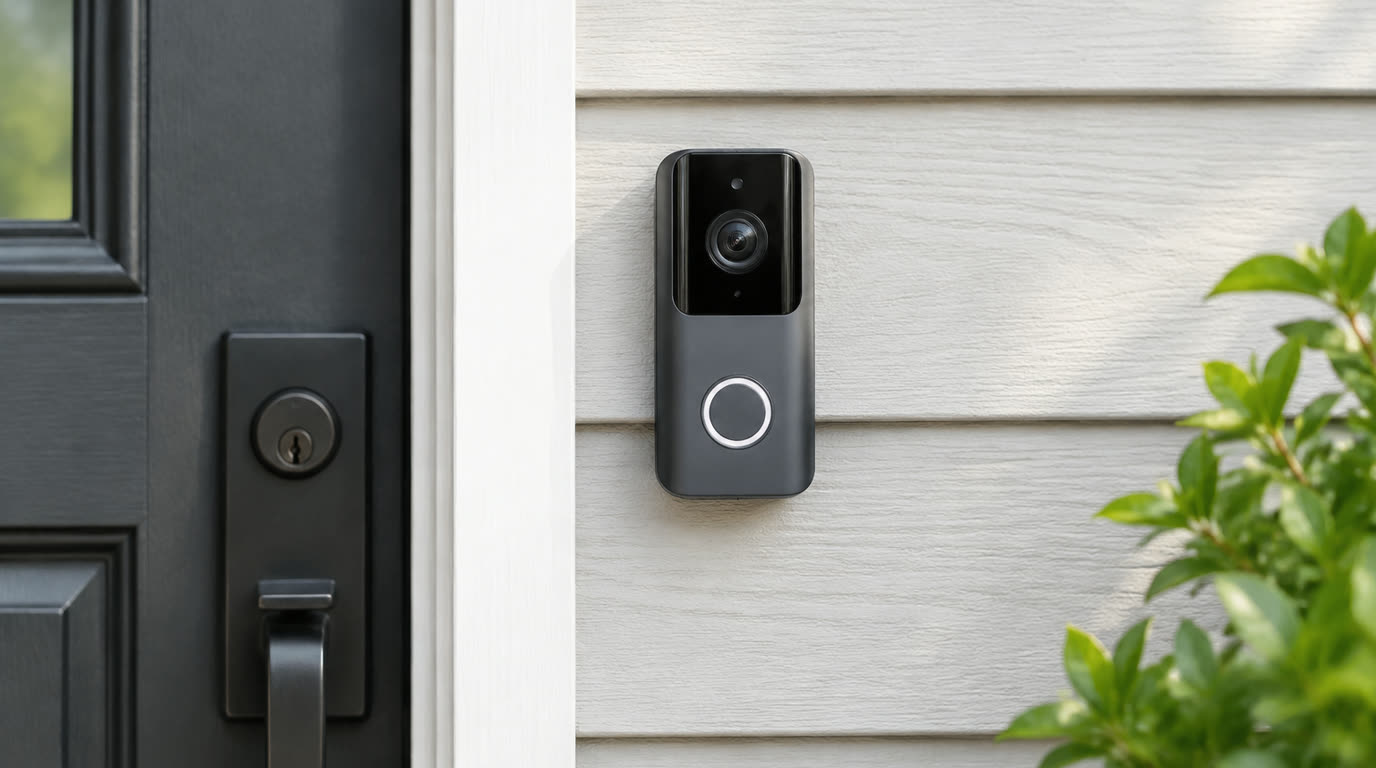
Spend this, not more: Every unit here is a one-time purchase between $60 and $200, but two recurring costs hide in the small print. A subscription is the one you are not paying: ring-style cloud plans are the usual $3-$6 a month, and nothing on this page needs one. The storage card is the one you will actually pay: the Lorex units ship with a 32GB microSD included, the eufy C31 and both Reolinks list their slots as (Excl.), and a 128GB card is another $12-$20 you should budget the day you order the doorbell.
Quick answer:
- eufy Video Doorbell C31 with Battery Pack ($129.99): A 6500mAh quick-release battery or hardwire power, 2K video and a 128GB microSD slot, sold explicitly as a doorbell with no monthly fee.
- Wyze Video Doorbell v2 ($59.98): The cheapest wired pick: 2K HD video, needs existing doorbell wiring, records locally, add to cart on Wyze’s own store.
- Reolink Video Doorbell WiFi 5MP ($129.99): A 5MP 2K+ camera with the largest published card ceiling on this page, a microSD slot that takes up to 256GB.
- Lorex 2K Wired Video Doorbell with 32GB Card ($109.99): Wired 2K with person detection, and the microSD card is in the box rather than on your shopping list.
- Reolink PoE Doorbell ($119.99): The pick for houses already wired for Ethernet: one cable carries power and video, still a 2K+ local-storage unit.
How much should you spend? The price is the easy part: $59.98 for the cheapest wired doorbell to $195.99 for the bundle, and every figure on this page comes from the maker’s own page. What actually differs is what that price leaves off. A Lo Rex or Wyze ‘v2’ arrives usable, with its card included. The eufy C31 and both Reolinks need a card bought separately before the local recording works at all, and the eufy’s headline 24/7 recording only exists if your doorbell wiring can feed 16-24 volts and 30VA. If you have no chime wiring at all, the battery-only picks are the honest tier, and the ongoing cost of that tier is a recharge every few months rather than a card you forgot to buy.
First: Answer These 3 Questions
- Does a no-subscription doorbell still upload anything? This is the question to ask before you pay, and the honest answer is that it depends. The no-subscription claim on this page is about recording: each of these units stores what it records locally, on a microSD card it can read and write by itself, so the maker does not hold your footage hostage behind a plan. That does not mean the camera is offline. All of them stream live video through their apps, and cloud backup remains an option the maker charges for if you want copies off-site. The storage decision is about where the recording lives when the internet is down and about who pays when the month ends.
- Battery or wired, which one is actually simpler? They are simpler in different places, and this list has both. A battery doorbell mounts anywhere a doorbell button goes and needs no wiring at all, which is why the Wyze Battery and the Lorex battery with chimebox are the picks for renters and brick-front homes. The price is maintenance: eufy’s 6500mAh battery is a recharge on a schedule, and Lorex sells its battery doorbell with a chimebox because a battery unit cannot drive your existing indoor chime. Wired units use the doorbell transformer you already own, they never need a recharge, and they are the tier that supports around-the-clock recording, which is a genuine eufy selling point but does require 16-24 volts.
- What does resolution actually buy at a front door? It buys the difference between a face and a shape. At the entry-level every unit here is at least 2K or 1536p, which separates a face at the door from a smudge, and two of them carry higher ceilings. The Reolink video doorbell is a 5MP camera marketed as 2K+, and the Lorex 4K model is a 3840×2160 sensor on the same footprint as its 2K sibling. The honest caveat is that a doorbell is a tiny camera rigidly aimed at your doorstep, and half its detail is consumed by the mailbox next to the door, so treat 4K as better evidence at close range rather than as license to skip the person detection.
- Why did Ring, Nest and Blink not make this list? Not because their hardware is bad, but because each of them prices the recording behind a plan. Ring’s doorbells do not record any event video without a Ring Protect subscription. Google’s Nest doorbells have no microSD slot, store event history in Google’s cloud, and their no-fee tier is a few hours of snapshots rather than a video record. Blink’s doorbell has no card slot either: local recording rides on a separate Sync Module 2 hub you buy into. Those are the three product lines a no-subscription page needs to be honest about, because each of them is designed around the subscription.
- How much does the monthly fee cost over five years? The arithmetic is the argument for this entire list, and it is not even close. The cheapest wire-free card from a subscription-first brand is commonly pitched around $3 to $6 per user per month, which is $180 to $360 over five years, and that plan only covers clips. The eufy C31 is $129.99 once with a $15 microSD card, the Wyze v2 is $59.98, and the Lorex units ship the card included. A five-year comparison puts the no-fee doorbell thousands of dollars ahead of any plan that rents cloud storage, and the doorbell itself never stops recording because a card expired.
5 Checks Before You Buy
| Check | Target | Plain English |
|---|---|---|
| Power at your door | Existing wiring, or none | A wired unit at $60-$130 is the cheapest tier here. No chime wiring makes the battery picks the honest tier, and they are on this page for exactly that case. |
| Local storage | Slot size and whether a card ships in the box | Up to 256GB for Reolink, 128GB for eufy, and a 32GB card included for Lorex. The card is not the same as the slot: some units ship without one. |
| Resolution | At least 2K at the door | 1536p and 2K are the baseline. 5MP Reolink and 4K Lorex are the two above-that entries, and 4K matters only for close-range evidence. |
| Recording without internet | Recording works with the router unplugged | Every unit here records to its own card. If a maker hides event history behind an account plan, that is a different product category. |
| Chime | Does your indoor chime still work | Wired units drive the chime you own. Battery units cannot power it, which is why the Lorex battery pick bundles a chimebox. |
| The price on the maker’s page | A real dollar figure you can add to cart | The TP-Link page lists no price for its newest doorbell, which is why it is not ranked here. Honest pricing on the store itself is the check. |
8 Picks (By Power Options, Local Storage & Price)
eufy Video Doorbell C31 with Battery Pack – Best All-Around Without Subscription
Price: $129.99 on the maker’s page for the kit with quick-release battery; the standalone unit is listed at $99.99 on the brand collection page.
Why: It is the most complete no-fee setup on this page. The maker positions it around a 6500mAh quick-release battery with hardwire as a second power source, which is the combination that lets one doorbell stay cheap to run after the month ends, and the card slot is rated up to 128GB microSD not included. The product line is marketed by the maker under a title that says exactly what this page ranks for: doorbells with no monthly fees.
Honest take: The 24/7 continuous recording and 5-second pre-roll that make the C31 interesting are wired-power features at 16-24V and 30VA, not battery features, so treat the battery as the default mode and wiring as the upgrade. Push notification thumbnails are the one feature the maker notes are processed in the cloud. Downside: The microSD is not included, so the working setup is the purchase price plus a card. It has no HomeKit support, and a battery-only install cannot deliver the 24/7 recording the wired mode promises.
Wyze Battery Video Doorbell – Best Wire-Free on a Budget
Price: $65.98 on the maker’s store, marked down from $79.98, in stock and add-to-cart.
Why: It is the cheapest wire-free doorbell in the selection, rated by the maker at 1536p HD+, and it records locally so the video history does not sit behind a monthly plan. The battery doorbell is the answer for a brick or stone facade and for front doors with no transformer behind the wall, and it is the entry here with the shortest shopping list: one price, one charge cycle, done.
Honest take: Wyze’s local storage is real, but their AI detection features have moved behind their subscription plans, so do not buy this unit expecting person alerts for free; buy it expecting a cheap camera that records on a card. Downside: It is 1536p rather than 2K, it is a single camera with no chimebox in the base package, and the maker’s subscription push is real: some of the smarter alerts are cloud features.
Wyze Video Doorbell v2 (Wired) – Cheapest Wired Pick
Price: $59.98 on the maker’s store, marked down from $74.98, add to cart on Wyze’s own page.
Why: It is the cheapest wired unit here at $59.98 and it is a 2K HD camera that records locally, which makes it the price floor for the whole category. It runs off your existing doorbell wiring, so the cheap figure is real only if that wiring exists, and Wyze sells it direct with add to cart rather than as a teaser for a subscription.
Honest take: This price is the reason it leads the wired tier rather than the features. It is a 2K wired camera with a card slot on a budget wire, and its specification page says exactly that. Downside: Powered only by doorbell wiring, so a home without a working transformer is out, and like its battery sibling its smarter detection features ride on Wyze’s cloud plans rather than on the card.
Lorex 2K Wi-Fi Video Doorbell (Wired, 32GB) – Best Wired 2K With a Card Included
Price: $109.99 on the maker’s store, in stock.
Why: It is a wired 2K doorbell with person detection and the storage card ships in the box, a 32GB microSD included, so the whole local-recording setup starts the day the box arrives. Lorex sells it direct on their own store, and the maker’s wiring pattern is that the camera records to that card rather than to a monthly plan.
Honest take: The 32GB card is smaller than the 128GB and 256GB ceilings quoted for eufy and Reolink, so the honest framing is included now versus a card you buy separately, not less storage than competitors. Downside: Wired only, so it needs the transformer and an indoor chime circuit behind it, and it is 2K rather than the 4K of its larger sibling at $186.99.
Reolink PoE Video Doorbell – Best for an Ethernet Run
Price: $119.99 on the maker’s store, in stock.
Why: It is the only pick powered entirely by an Ethernet cable: one PoE run carries power, video and network, and the camera records 2K+ footage to a microSD card on the unit itself. For a house already wired for network cameras, it removes the doorbell transformer from the equation completely, and Reolink’s no-subscription posture is the same one behind their larger camera line.
Honest take: PoE is a decision you make once, and a cheap PoE injector added to the shelf is part of the price if the wall does not have a run. Local-only recording means your alerts arrive through the app, not through a cloud dashboard. Downside: It needs an Ethernet drop at the front door, which most homes do not have, and installing the cable afterward is a wiring job rather than a mounting job.
Reolink Video Doorbell WiFi (5MP) – Largest Card Ceiling
Price: $129.99 on the maker’s store, in stock.
Why: Its camera is a 5MP unit marketed as 2K+, and its card slot is the most generous on the page: Reolink’s spec copy says a microSD card up to 256GB. That is the ceiling that lets a household keep more days of local footage before overwriting, and the doorbell is wired for existing doorbell power.
Honest take: The card is not included, so the 256GB number describes the slot and not the box, and the out-of-box cost is the doorbell plus whichever card you pick. Downside: It is wired only, so a battery-first household is not its buyer, and the largest cards need formatting in the app before recording starts.
Lorex 4K Wi-Fi Video Doorbell (Wired, 32GB) – Best 4K Front Door
Price: $186.99 on the maker’s store, in stock.
Why: It is the highest-resolution doorbell here, a 4K camera on the same wired footprint as Lorex’s 2K units, and the 32GB card ships included the same as its cheaper sibling. On a front door, 4K is the spec that separates a package label and a face at close range from a blur, and the local recording story does not require a plan.
Honest take: 4K is doing its best work in close range evidence: an entire doorway eats a lot of resolution. If you compare it side by side with the $109.99 2K sibling, the price gap pays for sensor detail and not for features. Downside: It is the most expensive wired Lorex in the selection, it needs doorbell wiring behind it, and its card is 32GB included rather than a 128GB or 256GB ceiling.
Lorex 2K Wi-Fi Video Doorbell (Battery-Operated) with Wi-Fi Chimebox – Best Battery Bundle With a Chime
Price: $195.99 on the maker’s store, in stock.
Why: It solves the problem battery doorbells normally leave open: a battery camera with no chime wiring cannot ring an indoor chime, and this bundle includes a Wi-Fi chimebox, so the house keeps its doorbell sound. The 2K camera records locally, a 32GB microSD ships in the box, and Lorex sells both parts as one purchase.
Honest take: The $195.99 is the price of solving two problems at once, camera and chime, and it is the most expensive battery option here. A recharge on schedule is part of the deal, as with every battery doorbell. Downside: It is the most expensive unit in the selection, and a household that already has chime wiring is paying for a chimebox it does not need.
One-Line Decision Table
| Your situation | Pick this |
|---|---|
| You have doorbell wiring already | The wired picks: Wyze v2 at $59.98, Lorex 2K at $109.99, or eufy C31 with hardwire for 24/7 recording at $129.99. Existing transformers are what make these the easy installs. |
| You are renting or the facade is brick and stone | The battery picks: Wyze Battery at $65.98 if the budget decides, or the Lorex battery bundle at $195.99 if you also want an indoor doorbell chime without wiring. |
| Your house already has Ethernet at the front door | The Reolink PoE at $119.99. One cable becomes power and data, the chime question is a system design rather than a purchase, and the camera records 2K+ to a card. |
| You want the room to keep the footage longest | The Reolink WiFi doorbell’s 256GB card ceiling is the largest number on the page. The eufy C31 is rated to 128GB. The Lorex units ship 32GB cards included. |
| You want the sharpest possible evidence | The Lorex 4K wired at $186.99, with 5MP Reolink as the mid-price alternative. Both are wired cameras, so confirm your transformer first. |
| You do not want any cloud to hold your events | All eight record to a microSD card in or beside the camera, and none of the picks requires a paid plan to record video. The subscription-first brands are the ones left off this page. |
Running Costs: What You Pay After You Buy
The purchase price is only part of the story. Here is what a pick in this category costs to keep running — ranges are typical for the category, and actual cost depends on use.
| Item | What it is | How often | Typical cost |
|---|---|---|---|
| The doorbell itself | The one-time price | Once | $59.98 to $195.99 across the eight picks, from the maker’s own store |
| A microSD card | The slot is not always stocked | Once per camera, then as needed | Included 32GB for the Lorex units; eufy lists 128GB microSD (Excl.); Reolink lists up to 256GB (not included) |
| A doorbell transformer that can do 24/7 | Only matters for wired 24/7 | Once, if yours is weak | eufy states 16-24V and 30VA for continuous recording and 5-second pre-roll |
| A recharge | The battery tier’s running cost | Every few months | A wall charger and ten minutes, versus the $3-$6 monthly plans the subscription-first brands charge |
| An indoor chime | Battery units cannot drive your existing one | Once, or included | The Lorex battery pick bundles a Wi-Fi chimebox for the chime problem |
| An Ethernet drop | Only for the PoE pick | Once, only if the wall has no cable | A PoE switch or injector at the router side |
Skip It If… (When Buying Nothing Is the Right Call)
This is the section most buying guides leave out. If any of these describe you, the honest advice is to keep your money.
- You want a cloud plan with no card. Recording any event video on Ring charges for a plan, the Nest doorbell has no microSD slot, and a Blink doorbell without Sync Module 2 records nothing locally. None of those are a no-subscription doorbell.
- You expect to mount a battery unit and get 24/7 recording. eufy’s continuous mode is wired only, at 16-24 volts and 30VA. A battery doorbell is an events camera.
- You have no existing internet at the front door. Every pick here is a Wi-Fi or Ethernet camera with an app; none of them work offline-only as a front door intercom.
- You are buying without counting the card slot. Lorex includes a 32GB card, eufy and Reolink do not, so the working budget is the doorbell plus a card when you compare prices.
- You expect indoor person detection for free on a Wyze. Wyze’s smarter alerts ride on their cloud plans; the card records locally and the subscription is the maker’s own upsell.
- You are buying the Lorex chimebox bundle when you already have a wired chime. The bundle exists for houses with no chime circuit; yours would be a second chime, not a feature.
FAQ
Do any of these actually have no monthly fee? All eight, on their makers’ own terms. The eufy C31’s product line is titled around no monthly fees and its specs list local storage of up to 128GB microSD not included. The Reolink doorbells record to a microSD card and their line sells on a no-subscription posture. The Lorex units ship a 32GB card and record locally. The Wyze doorbells record to a card. None of them makes video recording depend on a paid plan, which is the definition this page uses.
Where does the video go if there is no subscription? Onto a microSD card that the camera itself can read and write. The Lorex units ship the card included, the eufy C31 slot takes up to 128GB, and the Reolink doorbells take up to 256GB. Live view and notifications still travel through the maker’s app over your internet, and some makers reserve thumbnail push previews for their cloud, so the recording basestation is local and the alerting is a mixed service. If your internet is down, the doorbell keeps recording.
Is a battery doorbell a downgrade? It is a different tool, and this page keeps both tiers for that reason. A battery unit mounts and works with no wiring at all, which makes it the right answer for renters and brick-front homes, and its running cost is a recharge rather than a plan. The tradeoffs are real: battery units do not run around-the-clock recording, they cannot drive the indoor chime you already own unless the maker bundles one, and their resolution tops out at wire-free specs like 1536p rather than a wired 4K sensor. Choose it by where your wall is and what power you have, not by badge order.
Why does the eufy C31 need 16-24 volts for 24/7 recording? Because continuous video is a power question, and a small battery cannot hold that draw for long. eufy’s own page states that the C31 supports pre-record and 24/7 recording when powered by a 16-24V, 30VA transformer, and hardwiring also enables a 5-second pre-roll for motion-activated events. On battery power it is an events camera at the door. If your doorbell transformer is 10VA, the honest answer is that the 24/7 feature is not available in your house until the transformer is upgraded.
How much footage does a card actually hold? It depends on resolution and overwrite policy more than gigabytes. A 2K event-based doorbell writes far less than a 24/7 wired camera. The numbers worth holding onto across the picks: Lorex includes 32GB with its doorbells, eufy rates the C31’s slot to 128GB microSD not included, and Reolink publishes a ceiling of 256GB on its WiFi doorbell. Whatever the card is, the honest expectation is local footage for days to weeks, not a cloud archive with searchable months.
Why does a battery doorbell not ring my indoor chime? A mechanical chime is driven by the 10-24 volts that a wired doorbell transformer supplies through the button, and a battery camera does not pass that circuit through. That is why the Lorex battery pick bundles a Wi-Fi chimebox, so the indoor sound comes from a separate speaker rather than from your old chime. The eufy C31 pairs with eufy’s chime hardware and can use an existing chime when wired. If the indoor sound matters and the wall has no chime wiring, choose a bundle that includes one.
Do these doorbells work with Alexa and Google? The makers who publish it say yes. eufy’s C31 page lists compatibility with Alexa and Google Assistant devices and with the maker’s HomeBase and chime hardware, and notes it is not compatible with Apple HomeKit. Ensure the app version requirement is met, since eufy states the doorbell needs an up-to-date app for best results.
Is a no-subscription doorbell less secure? It is a different trust boundary, and the honest framing is who holds the footage. Local recording keeps the video on a card the maker’s plan does not rent you out of, and no cloud server holds your events. What the subscription brands sell in exchange is server-side redundancy and person-name features, and their wired doorbells are the category designed around those plans. Treat this page as a purchase decision about where your video lives, and check the maker’s own storage documentation for the camera you buy.
Sources & Data
This guide relies on prices and specifications published on the manufacturers’ own product and collection pages (verified 2026-09-28):
- eufy: Video Doorbell C31 with Battery Pack — the C31 battery-or-wired kit, 128GB microSD slot with no monthly fee, priced $129.99 on the maker page
- eufy: Video Doorbell collection — the maker\u2019s own collection page titled Doorbells with No Monthly Fees, with the C31 standalone listed at $99.99 and the C30 at $69.99
- Reolink: Video Doorbell WiFi — the 5MP 2K+ wired doorbell with microSD support stated up to 256GB, $129.99 on the maker page
- Reolink: PoE Video Doorbell — the 2K+ Power-over-Ethernet doorbell recording to a card, $119.99 on the maker page
- Lorex: 2K Wired Video Doorbell (32GB) — the wired 2K doorbell with person detection and a 32GB microSD included, $109.99
- Lorex: 4K Wired Video Doorbell (Wired, 32GB) — the 4K wired doorbell with the card included, $186.99
- Lorex: 2K Battery Video Doorbell with Wi-Fi Chimebox — the battery doorbell bundled with a Wi-Fi chimebox and 32GB card, $195.99
- Wyze: Video Doorbell v2 — the wired 2K HD doorbell recording locally, $59.98 on the maker store
- Wyze: Battery Video Doorbell — the wire-free 1536p HD+ doorbell, $65.98 on the maker store
Prices are as shown on the makers\u2019 own pages at the time of checking and can change with sales and stock. Re-check the product page before you buy, and confirm your door transformer before choosing a wired unit.
Real Pitfalls to Avoid
- Assuming no subscription also means no cloud features. The eufy C31’s push thumbnails are processed in the cloud, and Wyze’s intelligent alerts are plans.
- Buying a battery unit for 24/7 recording. Continuous mode on the eufy C31 is wired, 16-24V and 30VA. A battery doorbell records events.
- Forgetting the microSD card in the cart. The Lorex units include a card; the eufy and Reolink slots are (Excl.), so an out-of-box camera is not a recording camera yet.
- Buying the chimebox bundle while you already have a wired chime. The $195.99 is a solve for houses with no chime circuit.
- Comparing 2K to 4K on spec sheet alone. The Lorex 4K is the $186.99 pick where detail matters; the same maker’s 2K sibling is $109.99 and the rest of the feature set travels with both.
- Assuming an old chime transformer can feed a 24/7 camera. eufy states 16-24V and 30VA; a weak transformer will not deliver continuous recording.
Going deeper: A doorbell is one unit of a front-door system, and the rest of the decision is the interface it talks to. Our thermostat guide without a C wire applies the same rule: pick the device that fits the wiring you actually have, and no coolest spec sheet fixes what the wall lacks. The ranking method behind every category is written up in how we rank products.
Update note: refreshed quarterly. Prices checked Sep 2026 – verify at checkout. Rankings based on published manufacturer specifications (power options, local storage, resolution), vendor prices on official product pages, not paid placement.