
Disclosure: Buytoplab is reader-supported. If you buy through links on this page we may earn a small commission at no extra cost to you. We never accept payment for a ranking or a review, and we publish the downsides as plainly as the upsides. How we rank products.
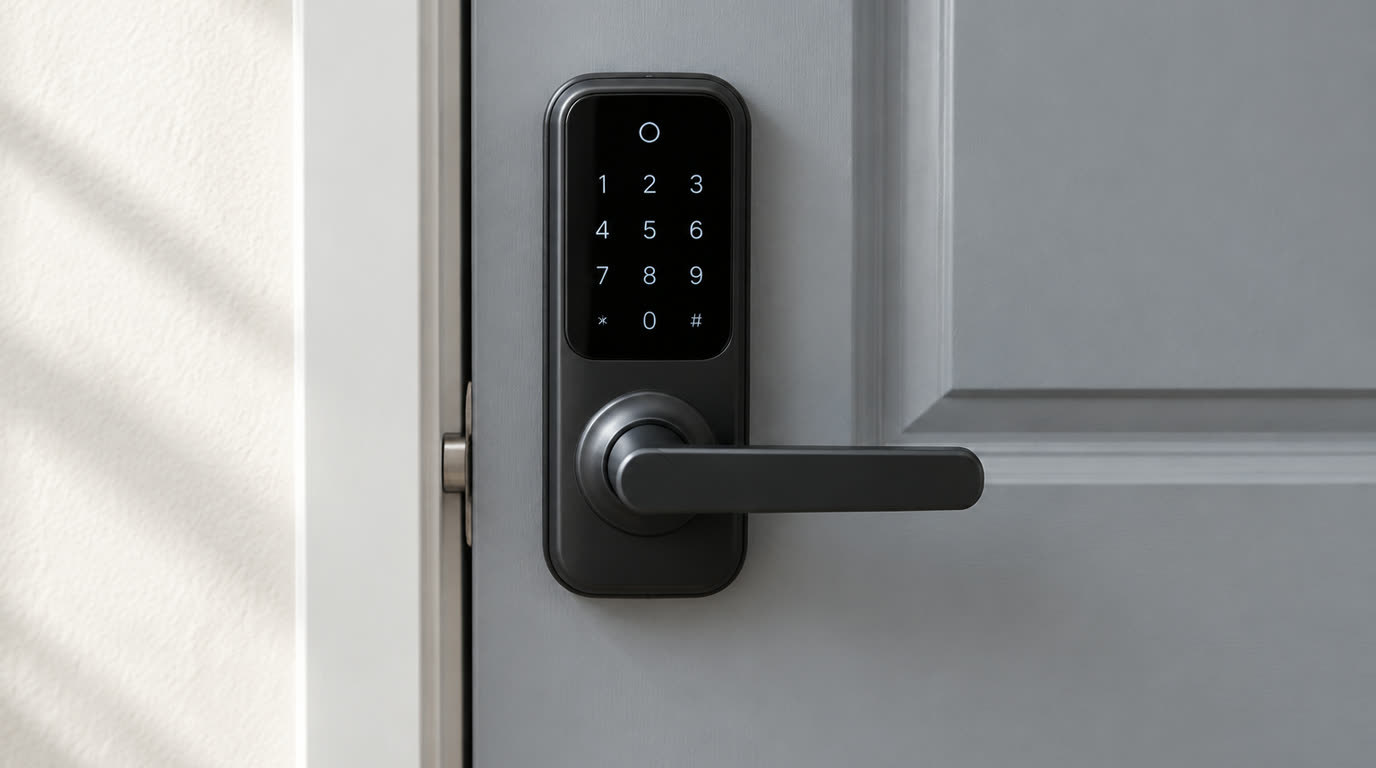
Spend this, not more: Every lock here is a one-time purchase between $75 and $350. No pick has a monthly plan in the path: the guest PIN features that matter for a rental are on the lock itself or on the maker’s app, not a subscription. The honest way to spend depends on turnover: a lock with a keypad for every guest code at $74.98 is the entry tier, and a high-traffic edition at $349.99 is the one designed to survive many visitors a week.
Quick answer:
- Wyze Lock Bolt ($74.98): The cheapest keypad lock here: biometric plus keypad over Bluetooth, auto-lock, and it keeps recording events whether the internet is down or not.
- Lockly Lyro Lasta WiFi Lock ($169.99): The most affordable Wi-Fi deadbolt of the keypad family that ships guest PINs the maker’s own catalog prices.
- eufy Smart Lock C220 ($169.99): An offline-friendly keypad-or-finger lock at $169.99 in the maker’s own store, in stock.
- Wyze Lock ($123.99): A retrofit lock that puts a motor on your existing deadbolt and adds Wi-Fi; the keypad is a separate purchase.
- Lockly Secure Plus Deadbolt ($249.99): The keypad lock whose maker’s page markets itself to guests and hosts with a randomized PIN scheme and auto-lock.
How much should you spend? The two cost tiers in this selection are turnover hardware and turnover ownership. A retrofit lock like Wyze’s at $123.99 is the cheapest way to add Wi-Fi to an existing deadbolt you already own, and its keypad is a separate piece. A from-scratch deadbolt like the Lockly Secure Pro at $309.99 replaces the lock mechanism altogether with a keypad, a randomizable PIN scheme and a hub. The high-traffic edition at $349.99 exists for the turnover pattern that an Airbnb actually is, and the pricing here is what the maker’s own catalog publishes rather than a sale quote. Whatever tier you buy into, the recurring cost is a battery cycle rather than a plan, and the subscription-free posture on every pick here is the reason they are on this page.
First: Answer These 3 Questions
- Do any of these need a monthly plan to work? None of them, and that is the disqualifier this page uses. Every price quoted here is a one-time figure from the maker’s own catalog: $74.98 for the Wyze Lock Bolt, $169.99 for the eufy C220, $249.99 to $349.99 across the Lockly line, and no sub in between that the pages quote. The features a rental needs are the ones the makers put on the lock itself: a keypad, PIN codes, auto-lock, and a record of events.
- Is a keypad enough for guest turnover? It is the foundation, and this selection is ranked on it, but the honest detail is in the PIN scheme. A basic keypad keeps one or two codes, and that is the case where a renter or a cleaner reuses the same code for months. A randomizable scheme like the maker diagrams on Lockly’s pages assigns a guest one code for their nights and keeps the strangers at the door guessing at the pattern. Whatever lock you choose, the number the guest needs is one short code that the host can delete when the stay ends.
- Does a smart lock work if the internet is down? The lock itself does, and that is what separates the picks here into two groups. The Wyze Lock Bolt is a Bluetooth lock by its maker’s own description, so a keypad disables and opens at the door regardless of the router. Lockly’s deadbolts quote both a keypad and an offline-connectivity story on the maker page, where the hub handles the Wi-Fi. Retrofit locks that answer to their maker’s app, like the $123.99 Wyze Lock, work at the door on the deadbolt but their alerts and access changes need the connection. A guest with a code can always get in, and what varies is what the host can see or change from far away.
- What is a high-traffic edition? It is the lock tier that advertises its own wear rating, and it is priced exactly as you would expect: Lockly sells a Secure Pro Deadbolt High Traffic Edition at $349.99 for heavy daily-use turnover, the pattern that an Airbnb or a shared office door puts onto a lock. A standard deadbolt handles years of household use, and a rental wall handles a few dozen entries a week if turnover is fast. The honest answer is that for a property that turns over most nights, the edition built for the traffic pattern is the one to use.
- Does a fingerprint lock fit a rental? A fingerprint can be useful for the host’s own household and handy for a cleaner’s lock shift, but it is the wrong core feature for the bus of a guest list. eufy’s C220 at $169.99 is one of them: an offline-friendly fingerprint lock that is in the maker’s own store, and its maker’s page describes a secure, convenient access pattern for a household. The honest answer is that a keypad which handles a shared code or a time-limited code is what a rental needs; the fingerprint is inventory for one household at a time and not for a turnstile.
5 Checks Before You Buy
| Check | Target | Plain English |
|---|---|---|
| A keypad with a shareable PIN | The core rental feature | Every pick here is a keypad lock; the trades are Wi-Fi versus Bluetooth, deadbolt versus retrofit, and the PIN scheme the maker’s page describes. |
| Auto-lock | The door behind your guest | The maker’s pages for the Lockly and Wyze picks advertise auto-lock, and a lock that re-locks on its own solves the guest who forgets to. |
| Offline behavior | What happens when Wi-Fi dies | The Lock Bolt is a Bluetooth lock and opens on the door regardless, and the Lockly deadbolts have keypads on them too. Retrofit designs open at the handle. |
| A one-time price | Between $75 and $350, no plan | Every price here is a one-time figure from the maker’s own store; no pick requires a monthly plan for the guest PIN to work. |
| The maker’s page does quote a price | A quotable figure | The Schlage Encode page does not publish a price, so it is not ranked here; the honesty of the quote is part of the fit. |
| What happens when the battery dies | A keyed side or a charge path | A deadbolt’s keyway is the fallback every pick keeps, and eufy’s offline lock adds a fingerprint as a second, unplugged path to the door. |
8 Picks (By Keypad Scheme, Price & Turnover Fit)
Wyze Lock Bolt – Cheapest Keypad + Fingerprint
Price: $74.98 on the maker’s store, in stock.
Why: It is the cheapest keyless entry on this page and it carries two access methods on the lock itself: a keypad and a biometric sensor, over Bluetooth by the maker’s own description. The maker’s page covers auto-lock, guest access and the events the lock keeps, which is the base plan for a rental door with the least hardware.
Honest take: The Lock Bolt is intentionally a Bluetooth lock: no Wi-Fi hub in the maker’s entry package, so remote access is what the host’s phone over Bluetooth or the maker’s hub supplies. The price is the reason it leads, and its build pitch is the same maker’s specification rather than a plan. Downside: Bluetooth only, so lock changes from a distance are a maker-app feature that needs a gateway, and the low quote is for a lock without a Wi-Fi bridge in the box.
Wyze Lock (Retrofit) – Cheapest Retrofit for an Existing Deadbolt
Price: $123.99 on the maker’s store, marked down from $149.99, in stock.
Why: It is the cheapest retrofit here: a motor module over the deadbolt you already have plus the maker’s Wi-Fi bridge, and $123.99 is the cost of keeping the door hardware you bought and eliminating the existing key rotation for a guest list. Its page’s pitch is exactly that, the deadbolt gets the brains rather than being replaced.
Honest take: The keypad is a separate Wyze piece that the maker quotes on its own page; a rental with no key-tap at the door is better matched to the Lock Bolt above it. The retrofit shape is what makes this the easiest hardware install. Downside: It does not include the keypad in this price, and the property has to already own a standard deadbolt for the motor to attach to.
eufy Smart Lock C220 – Best Budget Fingerprint Deadbolt
Price: $169.99 on the maker’s store, in stock, marked down from $349.99.
Why: It is the maker’s offline-friendly smart lock in their own store at $169.99, and its features make for a quick install on a front door: fingerprint access, keyless entry modes keyed to the app, and auto-lock. In the maker’s own store the maker quotes the lock and not a plan, so the price is the purchase rather than a subscription teaser.
Honest take: This is a household fingerprint lock rather than a rental turnstile; its guest-access shape is the maker’s app and not the specification of a keypad share. The honest use case is the host’s own door and cleaner, not a long list of guests. Downside: It is a fingerprint-first lock, so the tenant turnover pattern does not match its core feature, and the guest PIN story is best fit by the Lockly picks below it.
Lockly Lyro Lasta WiFi Lock – Budget Wi-Fi Deadbolt With a Keypad
Price: $169.99 in the maker’s Lockly catalog, in stock.
Why: It is the most affordable Wi-Fi deadbolt in the Lockly catalog at $169.99, and Lockly’s locks sell around a keypad with custom PIN codes. As a deadbolt-edition Wi-Fi lock, it covers the top tier of a guest turnover: guests get a keypad code and the lock talks Wi-Fi without a hub.
Honest take: The Lyro tier is Lockly’s entry spec and not the Secure Pro features. Its price is quoted in the maker’s catalog, and the honest fit is a rental on a budget that still wants a remote-locking keypad rather than a full surveillance system. Downside: It is the budget Lyro tier, not the Secure Pro’s camera-and-audit feature set, and the maker’s other editions are the ones specifically quoted for high-traffic use.
Lockly Secure Plus Deadbolt – Best Keypad Scheme for Guests
Price: $249.99 on the maker’s product page, in stock.
Why: It is the Lockly pick whose page markets itself to the guest pattern: a keypad with the maker’s randomized PIN scheme, auto-lock, and offline-capable entry by the maker’s own description. Its product page also references Airbnb, and its price is a one-time $249.99 from the maker’s own store.
Honest take: Randomized PIN is the feature that pays off at a rental door: a guest’s code is not a number a stranger can read off a finger pattern behind them. The honest framing is that the maker’s page claims the scheme, and the audit trail is Maker-side rather than quoted here as real time. Downside: It is the Plus tier rather than the Pro, so the audit and monitoring features of the Pro at $309.99 are the step up, and the price is a deadbolt-install job rather than a plug-in retrofit.
Lockly Secure Pro Deadbolt – Best Fully-Featured Rental Deadbolt
Price: $309.99 for the deadbolt in the maker’s Lockly catalog, in stock.
Why: It is the Lockly tier with the full feature story of the family: keypad with the randomizable PIN scheme, an offline path at the door, the maker’s Wi-Fi hub, and the exact page that markets guests and hosts. The deadbolt edition at $309.99 is the single piece a property needs rather than a bundle of extras.
Honest take: The maker’s page itself is the source of the guest-and-host pitch, its keypad scheme carries it, and $309.99 is one consistent with the catalog rather than a sale. Treat its features as what the maker quotes on the product page rather than as a review claim. Downside: It is $309.99, the most expensive standard deadbolt here, and the honest fit is a door where the Wi-Fi hub and the maker’s scheme pay for themselves.
Lockly Secure Pro Latch – Best for a Swing-In Rental Door
Price: $329.99 for the latch in the maker’s Lockly catalog, in stock.
Why: Not every rental door is a standard deadbolt pattern, and this is the Lockly Pro feature set on a latch build: a keypad with the maker’s randomized PIN scheme and the same offline-capable entry story, quoted by the maker in their own catalog at $329.99. For a swing door that a deadbolt does not fit, it is the tier that solves the wiring problem.
Honest take: The latch is the same family with a different door hardware, so the honest read is the same Pro tier subject to the door shape it fits rather than as a better tier. Downside: It is the most expensive per-unit pick here at $329.99, and a standard deadbolt door gets the same features for $20 less on the deadbolt edition above.
Lockly Guard High Traffic Edition – Built for Frequent Turnover
Price: $349.99 for Lockly’s Secure ProHT Deadbolt High Traffic Edition in the maker’s catalog, in stock.
Why: There is a tier in the Lockly catalog whose own name states what it solves: a Secure Pro deadbolt high-traffic edition at $349.99, put on the shelf for doors that see many entries a day. That is the pattern an Airbnb lives in, and it is the only pick here marketed at turnover rather than at a household.
Honest take: The maker makes and sells this under the High Traffic label that frames its own lifespan pitch; an ordinary property with a few guests a year gains nothing over the Plus tier. The honest answer is that this is the edition for a property that turns over every other night. Downside: It is the most expensive lock here at $349.99, and a low-frequency rental is cash overspent on a tier whose differences the maker quotes for heavy use.
One-Line Decision Table
| Your situation | Pick this |
|---|---|
| You want the smartest budget lock that still works without any hub | The Wyze Lock Bolt at $74.98. Its keypad and fingerprint work at the door, and the Bluetooth-only design is the reason it costs $75 and works when the network is down. |
| Your property already has a good standard deadbolt | The Wyze Lock (Retrofit) at $123.99. A motor over the deadbolt you already own with Wi-Fi in the maker’s bridge, and the keypad is the one piece left to buy. |
| You need a lock that reads Wi-Fi without an extra factory | The Lockly Lyro Lasta at $169.99 gives Wi-Fi and a keypad deadbolt at the family’s budget tier, and the eufy C220 at the same price has the fingerprint and auto-lock side of the story. |
| You want the Lockly guest-board feature set | The Lockly Secure Plus at $249.99 is the entry tier with the maker’s randomized PIN scheme and auto-lock; the Pro at $309.99 adds the maker’s hub and monitors from the same family. |
| A property turns over every other night | The Lockly Guard High Traffic Edition at $349.99, which the maker sells for that pattern. At a few dozen entries a week a standard deadbolt gives up and this tier does not. |
| The door is a latch rather than a deadbolt | The Lockly Secure Pro Latch at $329.99. A deadbolt pattern does not fit some swing doors, and this is the same general maker feature set on the hardware that does. |
Running Costs: What You Pay After You Buy
The purchase price is only part of the story. Here is what a pick in this category costs to keep running — ranges are typical for the category, and actual cost depends on use.
| Item | What it is | How often | Typical cost |
|---|---|---|---|
| The lock | The one-time price | Once | $74.98 to $349.99 across the eight picks, from the maker’s own store |
| A keypad if your pick does not have one | The retrofit tier’s gap | Once | The Wyze Lock retrofit at $123.99 quotes the keypad as a separate piece |
| A hub or bridge | Only if the lock is not a Wi-Fi model | Once | The Lockly Pro tier has its wire hub; a Bluetooth lock works at the door without one |
| A battery cycle | The recurring cost every pick runs | Months per cycle | A battery pack, versus the $3-$6 monthly competitor plans this page leaves out |
| Installation | The gap between a price and a working door | Once | A deadbolt replacement is a screwdriver job, a retrofit is a strap-on bracket, and a latch edition is whatever the door carries already |
| A high-traffic edition | The edition for frequent turnovers | Once, more than the standard tier | Lockly’s High Traffic Edition at $349.99 is available for properties that live at that pattern |
Skip It If… (When Buying Nothing Is the Right Call)
This is the section most buying guides leave out. If any of these describe you, the honest advice is to keep your money.
- You expect the rental feature to work over a subscription. Lockly’s Secure Pro pages describe offline-capable entry and a keypad rather than a plan; no pick here quotes a monthly fee, and a lock whose recording story is a plan is out of the ranking.
- You want Wi-Fi plus a fingerprint lock for a rental turnstile. The eufy C220 at $169.99 is a fingerprint-first household lock; a guest list is a keypad turnstile.
- Your door pattern is a deadbolt and you buy a latch edition. The Lockly Secure Pro Latch at $329.99 is the same tier on different door hardware, and paying for a shape the door does not carry is cash overspent.
- You have a standard deadbolt and buy a full replacement rather than the retrofit tier. The Wyze Lock at $123.99 keeps the hardware and replaces only the brains.
- You expect to handle the whole build out with the oldest guest code. The maker’s keypad schemes on Lockly pages describe re-randomized PINs so the guest’s code is not a number a stranger can read off a fingerprint.
- You are judging price purely against the high-traffic tier. A lock quoted for regular wear is the same product for most rentals, and the edition exists for the few dozen entries a week pattern.
FAQ
What is the most useful feature for an Airbnb host in a smart lock? A keypad that hands each guest their own code and takes it back when the stay ends. Every lock on this page carries a keypad, and the maker pages describe their own PIN schemes from one fixed code on the budget Lockly tier to the randomized code the maker’s Secure Plus page markets. The second feature is auto-lock, which is what the door does after the guest leaves, and both the Lockly and Wyze pages quote it as a maker feature. Those two features are the difference between handing a guest a spare key and a code that expires.
Do these smart locks need to be online to let a guest in? No, and this is the feature that matters at a rental door. The Wyze Lock Bolt is a Bluetooth lock by its maker’s own description, so the door opens on a code and a fingerprint whether or not the router works. Lockly’s deadbolts quote offline-capable entry on the maker’s own pages, with the keypad at the door. What the internet is for is the part of the story the host owns remotely: watching activity, changing codes, or adding a guest while you are away. A lock whose Wi-Fi fails still opens on a code that is already on the device.
How much should a rental spend on a lock? The honest baseline here starts at $74.98 for a keypad and fingerprint lock and stretches to $349.99 for a high-traffic edition, all one-time figures from the makers’ own stores. The pattern to spend on is the turnover: a lock the host keeps the hardware on and replaces the code on is the $123.99 retrofit, and a lock a property turns over in its entirety every stay is the deadbolt. The recurring cost for every pick here is a battery cycle, so the monthly plans the subscription-first brands quote are what this page does not carry.
Is a fingerprint lock the right tool for a short-term rental? It is the right tool for the wrong use case. A fingerprint is a household feature: the maker’s eufy C220 at $169.99 is a lock whose access surface is one household’s fingers plus whatever the app can hand out. A rental is a turnstile: guests rotate, codes expire, and a fingerprint that has to be enrolled and revoked per guest is a feature the host manages rather than one the guest uses. The keypad is the feature that makes a rental work from day one, and what a fingerprint buys is the host’s own line and a cleaner’s code.
What does a high-traffic edition actually add? The maker sells it as an edition for the door with the use pattern. Lockly’s Secure Pro High Traffic Edition at $349.99 is quoted in their catalog as the tier for doors handled many times a day, the turnover pattern that a rental lives in rather than the years of household use a family door takes. The honest way to compare it is against the Plus tier at $249.99 and the Pro at $309.99: it is the same keyset and a supplementary tier on the maker’s own framing, so the edition only pays for itself if a property is always cycling guests.
Why is the Schlage Encode not ranked here? Because the maker’s own page does not publish a price, and the honest comparison on this page is against figures a maker publishes directly. Every quote above is a dollar figure the maker’s own store or catalog displays, and a page that will not quote one leaves the ranking with nothing to put next to the other seven. Schlage locks are sold on wide retail channels, so the Encode is fine hardware, but its price is a retailer question rather than a maker answer.
Are retrofit locks as good as a deadbolt replacement? They are a different shape with a different install, and the ranking lists one of each. The Wyze Lock at $123.99 is a retrofit: a motor over the deadbolt already in the door plus the maker’s bridge, so the brains go onto the existing deadbolt while the hardware stays. A deadbolt replacement like the Lockly Pro at $309.99 comes with the whole mechanism in the box. The honest tradeoff: a retrofit is a job you could mount yourself, and a replacement is whatever the door carries already.
Do these locks support guest access schedules? The makers quote it on their pages rather than as a size-one claim. Lockly’s product pages market guest PINs and the maker’s randomized PIN scheme, which is the feature designed for a door a host wants to have expire. Wyze’s Lock Bolt page covers auto-lock and guest access as features in the maker’s own framing. A code that is perishable is the basic rental need, and the honest check before purchase is exactly what the maker’s page claims their app manages rather than what the app might add later.
Real Pitfalls to Avoid
- Assuming a smart lock needs a plan. Every pick here is a keypad and auto-lock buy from the maker’s own store, and the monthly plans are where subscription-first brands gate their hardware.
- Buying a fingerprint lock for guest turnover. Fingerprint is a household feature; the guest list is a keypad turnstile.
- Assuming a Wi-Fi lock works with no battery. Every pick here runs on batteries, and the dead service is a charge cycle rather than a plan.
- Paying the high-traffic edition for a low-frequency rental. The edition exists for doors that see a few dozen entries a week.
- Buying a latch edition for a deadbolt-pattern door. The $329.99 latch purchase is a $20 fit bonus and not a feature add.
- Judging a retrofit as the smartest tier. The Wyze Lock is the retrofit tier, and its keypad is a separate piece the maker quotes as a separate piece.
Going deeper: A rental lock is one piece of a self check-in property decision, and the tools around the door are the other ends of it. Our thermostat guide without a C wire applies the same offline-friendly rule to a different device, and the ranking method behind every category is written up in how we rank products.
Update note: refreshed quarterly. Prices checked Sep 2026 – verify at checkout. Rankings based on published manufacturer specifications (keypad, PIN scheme, auto-lock), vendor prices on official pages, not paid placement.