
Disclosure: Buytoplab is reader-supported. If you buy through links on this page we may earn a small commission at no extra cost to you. We never accept payment for a ranking or a review, and we publish the downsides as plainly as the upsides. How we rank products.
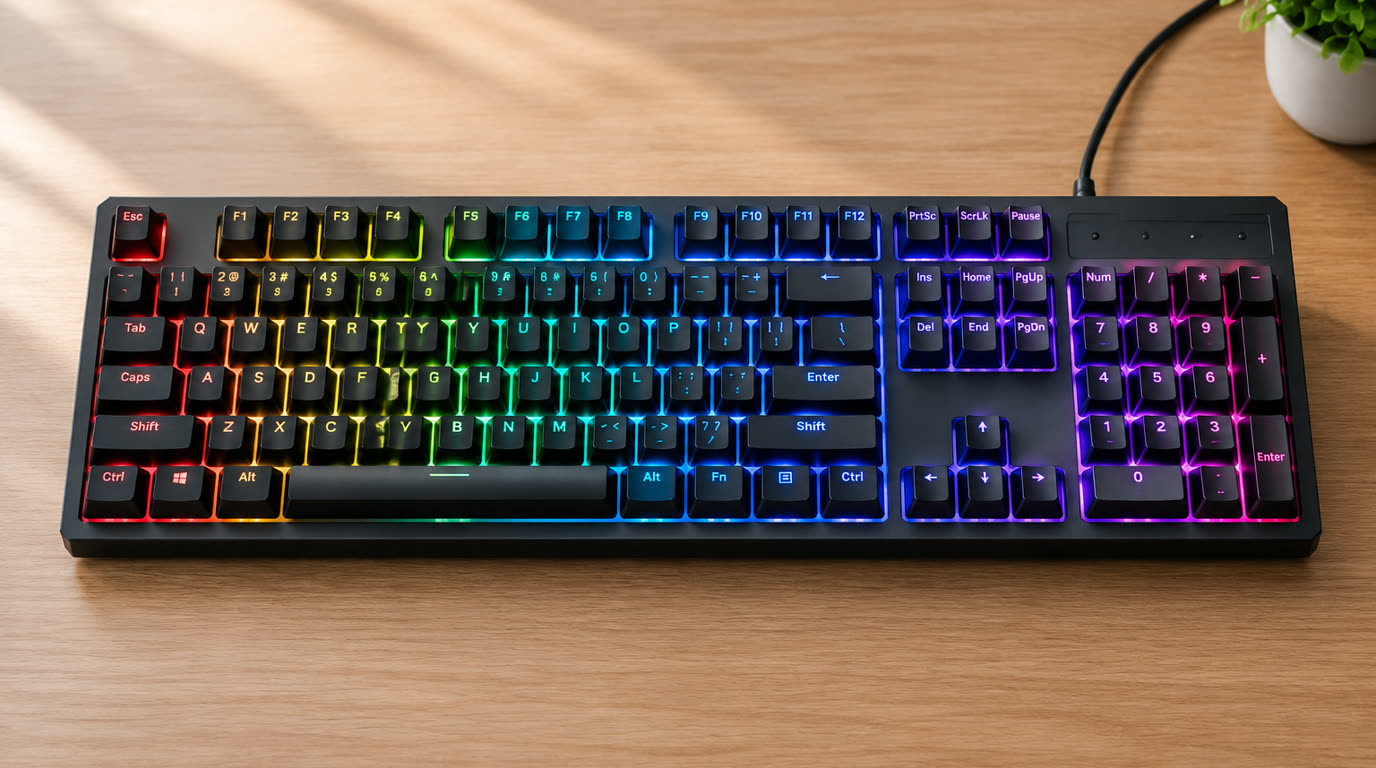
Spend this, not more: The honest range for a mechanical gaming keyboard is $50-150. Under $50 you get cheap switches that wobble and a flimsy plate. Above $150 you are buying enthusiast hot-swappable complexity most gamers never use. The sweet spot is $70-120 for a full-size or TKL with proper switches.
Quick answer:
- Best overall: Keychron K8 Pro TKL (~$100) – hot-swappable Gateron switches, aluminum frame and Mac/Windows/hotswap versatility in a compact size
- Best budget: Redragon K552 (~$45) – Outemu Blue switches and a metal plate that prove mechanical precision is reachable at near-membrane money
- Best full-size: Corsair K70 (~$120) – the RGB-addicted workhorse with a dedicated media row and the famous aluminum frame
- Best wireless: Logitech G915 (~$200) – low-profile LIGHTSPEED wireless at 3ms latency with a battery measured in weeks
How much should you spend? $70-120 is the dead center of mechanical value: genuine switches, a metal plate and a solid frame. Below that ceiling you chase clicky tactility at membrane prices; over it, you pay for enthusiast features (hot-swap, wireless RGB) that matter only if you mod, not if you game.
First: Answer These 3 Questions
- Why does mechanical still beat membrane for gaming? Mechanical switches register a keystroke at a precise, consistent actuation point – faster, snappier double-tap and better tactile feedback under pressure. Membrane keys mush past the actuation through a rubber dome that blurs input timing. The difference is most visible in FPS strafing and MMO spam.
- Do I need RGB lighting on my keyboard? No, but it is a genuine quality proxy. Backlit boards typically use per-key switches with better debris sealing, while unlit membrane boards are where brands hide their cheapest guts. Per-key RGB is a benchmark of the build, not just a light show.
- What switch type is right for me? Three families: linear (smooth, fast – best for FPS/competitive), tactile (bump, feedback – best for typing + gaming mix), and clicky (loud, crisp – closet-forte typing but ratchets in a shared space). Pick by sound tolerance first, by genre second.
5 Checks Before You Buy
| Check | Target | Plain English |
|---|---|---|
| Switch type & actuation | Mechanical, actuation that matches genre | Linear for twitch FPS, tactile for typing heavy, clicky if the room tolerates it. A membrane keyboard is a keyboard-shaped compromise. |
| Frame & plate | Steel/aluminum plate, rigid frame | A metal plate keeps each key stable under spamming; plastic flex blurs the feel and lets keys rattle. |
| Rollover (NKRO) | Full n-key rollover, no ghosting | NKRO registers simultaneous held keys without dropping inputs – essential for combos and multi-key strafes. |
| Wired vs wireless latency | Wired or low-latency wireless (sub-5ms) | Cheap wireless adds 10-20ms polling lag visible in competitive play; a top-tier wireless standard is fine, a generic gaming wireless” is not. |
| Hot-swap / repairability | Hot-swappable sockets (nice-to-have) | Hot-swap lets you replace a dead switch or customize without soldering – the durability and future-proofing argument. |
2026 Top Picks (By Specs, Owner Reports & Price, Not Paid Placement)
Keychron K8 Pro – Best Overall (TKL)
Price: ~$100
Why: Aluminum frame, hot-swappable Gateron switches, Bluetooth + wired QMK/VIA support and a compact TKL that frees desk space – the enthusiast consensus pick that never feels cheap.
Honest take: The keyboard most mechanical-heads end up recommending to friends who just want it to work and last. Downside: Bluetooth polling is slower than wired for hardcore comp play; RGB is bright, not customizable-per-key without software.
Redragon K552 – Best Budget
Price: ~$45
Why: A metal plate, Outemu Blue switches and full RGB under $50 – the price point that made mechanical keyboards a mass-market product, with honest feel and firmware-free simplicity.
Honest take: The best “try mechanical for $45” board; it converts membrane believers to enthusiasts by lunch. Downside: Loud clicky switches and the flimsy plastic case show the price once you get hands-on.
Corsair K70 RGB – Best Full-Size
Price: ~$120
Why: Aluminum frame, per-key RGB, an integrated media row and iCUE software worth actually using. The definitive “I want everything including the numpad” gaming board.
Honest take: The full-size standard for the past six years because the build genuinely holds up. Downside: Bulk and cable clutter eat desk space, and iCUE memory-hogs on older PCs.
Logitech G915 LIGHTSPEED – Best Wireless
Price: ~$200
Why: Low-profile mechanical switches, LIGHTSPEED’s sub-millisecond wireless polling and a 40-hour-plus battery in a slim premium frame – the wireless board that feels wired.
Honest take: It is the expensive answer to “how much wireless is luxury worth.” Downside: Price is nearly half the K70’s twice; low-profile switches feel alien if you learned on tall keystrokes.
One-Line Decision Table
| Your situation | Pick this |
|---|---|
| First mechanical, tight budget | Redragon K552 |
| FPS-focused, compact desk, wired | Keychron K8 Pro |
| Want full-size + RGB + numpad | Corsair K70 RGB |
| Wireless luxury, low latency, deep pockets | Logitech G915 LIGHTSPEED |
Running Costs: What You Pay After You Buy
The purchase price is only part of the story. Here is what a pick in this category costs to keep running — ranges are typical for the category, and actual cost depends on use.
| Item | What it is | How often | Typical cost |
|---|---|---|---|
| Switch replacements | Hot-swap sockets allow single-switch fixes | Rare | $5-15 |
| Keycaps | PBT keycaps outlast stock ABS shine | Every 1-2 years | $20-40 |
| Cleaning supplies | Keycap puller and compressed air | One-time | $10-20 |
Skip It If… (When Buying Nothing Is the Right Call)
This is the section most buying guides leave out. If any of these describe you, the honest advice is to keep your money.
- You game from a couch with a pad – a wireless controller wins and a keyboard is dead weight.
- You cannot stand clicking – choose tactile/linear over a clicky board and save $0 on board cost.
- You have a flawless membrane and zero complaints – don’t fix what isn’t chasing your reaction time.
Sources & Data
This guide uses official specifications, published results from named review bodies and long-term owner reports. Featured sources (verified 2026-09-24):
- RTINGS TV Reviews – independent laboratory measurements (peak brightness, input lag, HDR)
- RTINGS Headphones – independent audio measurements (frequency response, noise isolation)
- RTINGS Mice – independent gaming-mouse measurements (latency, weight, sensor)
- RTINGS Monitors – independent monitor measurements and recommendations
- RTINGS Home – independent lab tests across home electronics
- TechPowerUp GPU Specs – database of official GPU specifications
- SoundGuys – audio hardware testing and measurements
- What Hi-Fi Best Buys – independent audio/tv testing and awards
Table sizes, wattage and prices change; verify current specs at the manufacturer before you buy.
FAQ
Why is a mechanical keyboard better for gaming Mechanical switches register at a precise actuation with consistent force and full rollover, which removes the mushy dome delay of membrane boards. For strafe-dance FPS or MMO macro spam, that half-millisecond and a sturdy plate add up to real input confidence.
Do I need a full-size or TKL keyboard TKL drops the numpad for desk space and takes up 40% less surface – the pick for mouse-heavy FPS players. Full-size keeps a numpad for number crunchers and MMO shares. Personal mouse swing and desk size decide it, not any marketing line.
Is RGB worth paying for As a feature no, as a quality proxy yes. Per-key RGB boards are built with individual-socket solder, which correlates with a better plate and debris seal. If a board is unlit at a premium, it’s hiding a cheap dome.
Should I buy a hot-swappable keyboard If you plan to keep it 3+ years, yes. Hot-swap sockets let you replace one tired switch or upgrade to a new switch family without a soldering iron – it is the durability purchase that pays for itself once.
Real Pitfalls to Avoid
- Buying a “gaming” membrane and calling it a day – manufacturers put RGB on membrane shells to hide the dome.
- Choosing switches by marketing color tides instead of sound – clicky blue switches in a shared bedroom is a divorce audio event.
- Ignoring polling rate – a board that claims 1ms wireless but polls at 8ms is competitive snake oil.
Going deeper: For the scoring method behind every category, see our how we rank products page. If you want the full mechanical story without the gaming-taxes, our best mechanical keyboards guide scores typing-first boards that also do double duty at the desk.
Update note: refreshed quarterly. Prices checked Sep 2026 – verify at checkout. Rankings based on published specifications, published review-body scores and long-term owner reports, not paid placement.