
Disclosure: Buytoplab is reader-supported. If you buy through links on this page we may earn a small commission at no extra cost to you. We never accept payment for a ranking or a review, and we publish the downsides as plainly as the upsides. How we rank products.
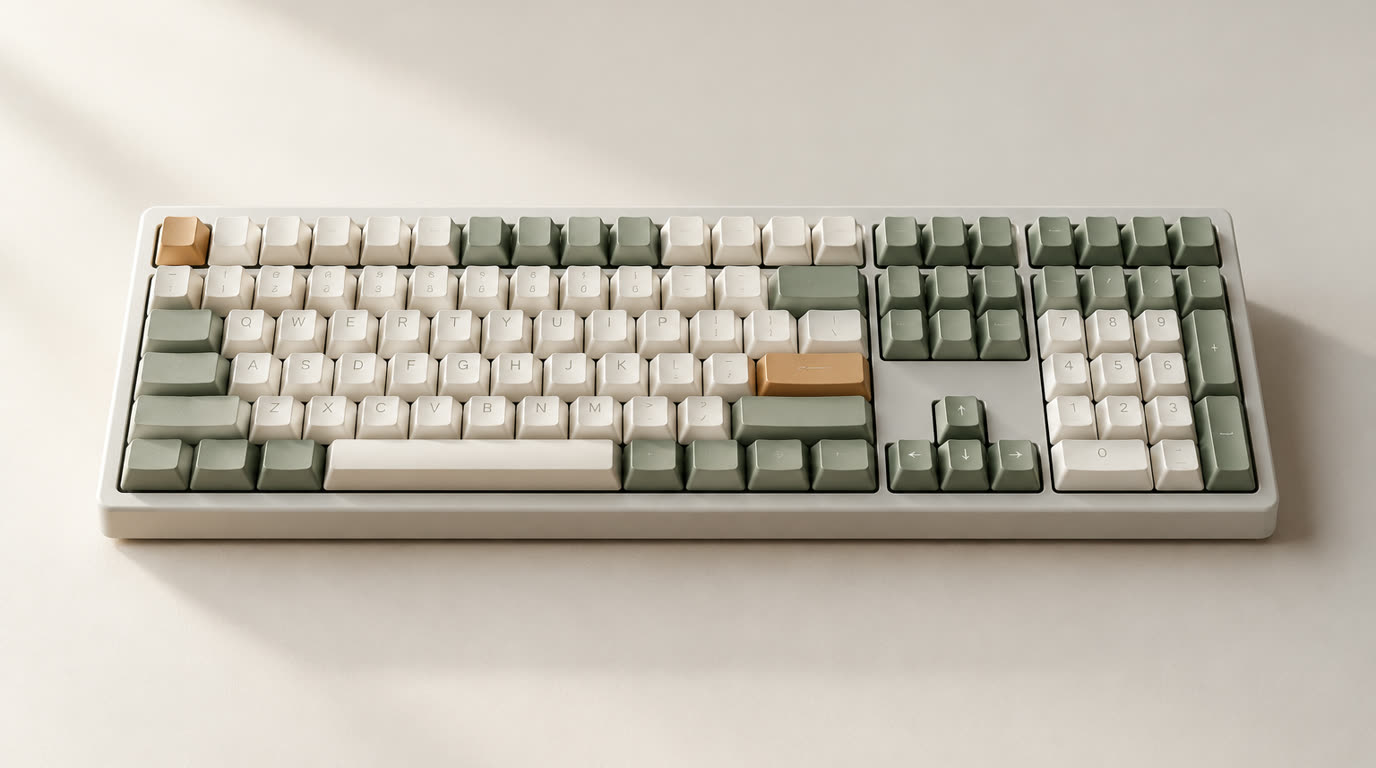
Spend this, not more: The Keychron V1 (~$89) is the best under-$100 answer – hot-swap sockets, QMK/VIA programming and a real gasket mount at a price where rivals still solder their switches. Above ~$90 you start paying for aluminum shells and RGB, not a better typing feel.
Quick answer:
- Best overall under $100: Keychron V1 (~$89) – hot-swap, QMK/VIA programmable and a 75% layout; the community-standard entry board
- Best wireless value: Royal Kludge RK84 Pro (~$75) – tri-mode wireless and hot-swap sockets for near-wired prices
- Best budget default: Redragon K552 Kumara (~$40) – the cheapest board that is still honestly mechanical
- Best full-size for work: Keychron C2 Pro (~$55) – a numpad, PBT keycaps and VIA support for a desk that types all day
- Best for gaming: HyperX Alloy Origins Core (~$70) – durable, fast and zero-configuration out of the box
How much should you spend? Around $40-90 is the honest sweet spot. At $40-60 you get real mechanical switches but often soldered ones, ABS keycaps and chunky frames; $60-90 adds hot-swap, wireless and programmable firmware – the usable ceiling. Above $90 you are mostly paying for aluminum shells, brand and glow, not a better feel.
First: Answer These 3 Questions
- Wired or wireless? Fixed desks get a cheaper wired board with zero latency. Multi-device or cable-averse setups want wireless: 2.4GHz beats Bluetooth for gaming response, and both beat nothing.
- What layout does your desk need? Full-size keeps the numpad; TKL drops it for mouse room; 75%/65% shrinks the footprint while keeping the arrows; 60% is minimal but demands layer memory.
- Will you swap switches or keycaps later? If yes, hot-swap is non-negotiable – soldered boards mean an iron or regret. If you’ll never open it again, the premium is skippable.
5 Checks Before You Buy
| Check | Target | Plain English |
|---|---|---|
| Hot-swap | Yes | Swap switches without soldering; the single biggest feature divide under $100, and it extends the board’s life. |
| Switch feel | Linear / Tactile / Clicky | Pick by feel, not RGB. A $10 switch sampler beats any spec sheet. |
| Programmable firmware | QMK/VIA | Open-source, browser-based remapping beats proprietary bloatware every time. |
| Keycaps | PBT double-shot | ABS caps shine and wear in a couple of months; PBT is the real durability divide. |
| Build | Metal plate over flexy plastic | A decent plate and a gasket or tray mount keep the board from feeling hollow. |
2026 Top Picks (By Specs, Owner Reports & Price, Not Paid Placement)
Keychron V1 – Best Overall Under $100
Price: ~$89
Why: Hot-swap sockets, QMK/VIA programmability and a 75% layout with a knob and gasket mount make it the de-facto entry point in the keyboard community – the board reviewers keep recommending as the first upgrade.
Honest take: The community’s default recommendation, and it earns it. Downside: Stock build ships with ABS keycaps and a single configurable knob; the RGB version pushes the price toward $99.
Royal Kludge RK84 Pro – Best Wireless Value
Price: ~$75
Why: Tri-mode wireless (2.4GHz, Bluetooth, USB-C), hot-swap sockets and a compact 84-key layout at a price that makes wired-only rivals look stingy.
Honest take: The meet-in-the-middle board for wireless desks. Downside: The OEM stabilizers rattle a little, and the stock keycaps feel thinner than the K-series competition.
Redragon K552 Kumara – Best Budget Default
Price: ~$40
Why: A metal frame, genuinely mechanical Outemu switches and a wired 60% layout for student money. It remains one of the few boards under $50 worth recommending in long-term owner reports.
Honest take: The “still a real keyboard” budget pick. Downside: Not hot-swap on most versions, the acoustic is hollow, and the stock keycaps are the usual thin ABS.
Keychron C2 Pro – Best Full-Size for Work
Price: ~$55
Why: Full-size layout for numpad users, PBT keycaps and VIA support at a price that beats most TKL boards. For an all-day typing desk, the numpad pays for itself in a month.
Honest take: The quiet value pick for people who actually use a numpad. Downside: Wired only, no Bluetooth; the stabilizers are serviceable but not premium.
HyperX Alloy Origins Core – Best for Gaming
Price: ~$70
Why: HyperX Red (linear) switches, a solid aluminum frame and zero-configuration plug-and-play are what competitive players want: fast, durable and no software dependency.
Honest take: The laziest good choice for gaming, in a good way. Downside: Not hot-swap, no wireless, and the stock look is plain for desk-setup enthusiasts.
One-Line Decision Table
| Your situation | Pick this |
|---|---|
| First real board, every dollar counted | Redragon K552 Kumara |
| Programmable and upgradable, stay under $90 | Keychron V1 |
| Needs wireless without the latency tax | Royal Kludge RK84 Pro |
| Numpad-dependent office desk | Keychron C2 Pro |
| Plug in and game, zero config | HyperX Alloy Origins Core |
Running Costs: What You Pay After You Buy
The purchase price is only part of the story. Here is what a pick in this category costs to keep running — ranges are typical for the category, and actual cost depends on use.
| Item | What it is | How often | Typical cost |
|---|---|---|---|
| Switch set (optional) | 65-108 switches | On upgrade | $25-$45 |
| Keycap set (optional) | PBT set | Every 1-3 yr | $30-$60 |
| Cable (optional) | Coiled / USB-C | Rare | $15-$30 |
| Deskmat (optional) | Cotton deskmat | Every 1-2 yr | $20-$40 |
Skip It If… (When Buying Nothing Is the Right Call)
This is the section most buying guides leave out. If any of these describe you, the honest advice is to keep your money.
- You want silent typing – mechanicals are louder than membranes unless you add O-rings or silent switches; evaluate honestly before buying.
- You need a laptop-style slim profile – every board here is tall; a low-profile mechanical or a decent membrane suits thin desks better.
- You’ll never customize anything – hot-swap and QMK are dead weight at your desk; a fixed wireless board saves money.
- Your desk has no USB ports or spare space – check the footprint before ordering, not after.
Sources & Data
This guide uses official specifications, published results from named review bodies and long-term owner reports. Featured sources (verified 2026-09-23):
- RTINGS TV Reviews – independent laboratory measurements (peak brightness, input lag, HDR)
- RTINGS Headphones – independent audio measurements (frequency response, noise isolation)
- RTINGS Mice – independent gaming-mouse measurements (latency, weight, sensor)
- RTINGS Monitors – independent monitor measurements and recommendations
- RTINGS Home – independent lab tests across home electronics
- TechPowerUp GPU Specs – database of official GPU specifications
- SoundGuys – audio hardware testing and measurements
- What Hi-Fi Best Buys – independent audio/tv testing and awards
Table sizes, wattage and prices change; verify current specs at the manufacturer before you buy.
FAQ
Is a $40 mechanical keyboard worth it? Yes, if it’s genuinely mechanical. Under $50, focus on a branded key switch (Outemu, Gateron) and a metal frame – and don’t expect hot-swap or fancy firmware at that price.
Hot-swap vs soldered: does it matter? If you plan to tune or repair the board, it’s the difference between a hobby and a paperweight. If you’ll never touch it again, it doesn’t matter.
What is the best switch for typing vs gaming? Tactile (brown-style) balances both; linear (red-style) feels fastest for gaming; clicky is a preference you should try on a sampler before committing.
Is RGB worth paying for? Almost never as the deciding factor. It adds $10-20 and buys nothing for feel or durability.
How long do cheap mechanical keyboards last? Switches are rated for tens of millions of presses – the frame and keycaps typically fail first. Hot-swap boards can outlive their frames.
Real Pitfalls to Avoid
- Buying on RGB first, feel second – the switch and layout decide whether you want to type on it daily
- Ignoring hot-swap – soldered boards are hobby dead-ends under $100
- Mistaking price for quality – some $90 boards are just $50 boards with more glow
- Skipping a switch sampler – $10 up front beats a $90 board you dislike
- Overlooking stabilizers – a rattling spacebar annoys you more than any badge on the front
Going deeper: best mechanical keyboards overall. See how we rank products.
Update note: refreshed quarterly. Prices checked Sep 2026 – verify at checkout. Rankings based on published specifications, published review-body scores and long-term owner reports, not paid placement.